13
Power On/Off
Momentarily press the POWER Push-button to switch
the MC152 On or Off. Refer to
figure 8.
Note: There must be a power control
connection between the MC152
and the Audio Preamplifier or
A/V Control Center, in order
for the remote power turn-on to
function.
Auto Off
The MC152 incorporates a Power Save Feature to
automatically switch power Off to the Power Ampli-
fier approximately 30 minutes after there has been an
absence of an audio input signal.
Note: If the Power Save Feature has activated and
switched the MC152 Off, the Power Save Fea-
ture can be reset by momentarily pressing the
POWER Push-button.
When there is a Power Control Connection be-
tween the MC152 and a McIntosh Preamplifier or
(A/V Control Center), the Power Save Feature in the
MC152 is bypassed.
With the MC152 connected (via Power Control) to
a McIntosh Preamplifier (or A/V Control Center) with
the Power Save Feature and the feature is active, the
MC152 will switch Off with the Preamplifier (or A/V
Control Center) after a period of inactivity.
There may be times when it would be desirable to
bypass the Power Save Feature, which by default is ac-
tive. This can be implemented by
placing the “AUTO OFF” Switch,
located on the MC152 Rear Panel,
in the DIS (Disable) position.
Refer to figure 9:
How to Operate
How to Operate
Input Mode Switch
The Input Mode Switch, which is located on the Rear
Panel of the MC152, allows selec-
tion of either the BALanced or UN-
BALanced Input. Refer to figure 12.
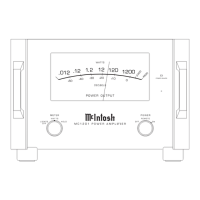
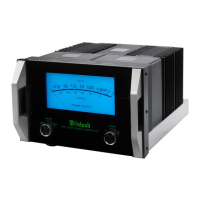
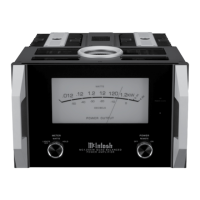
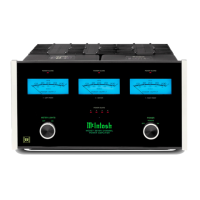
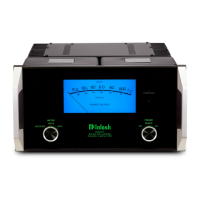
Power Meter
By default the Power Output Meters are illuminated
when the MC152 is On. To switch
Off the Meter Illumination, mo-
mentarily press the METER LIGHT
Push-button. Refer to figure 10. The
Power Output Meters will continue
to indicate the power output even
with the Illumination Off.
Note: When Power Control Input of
the MC152 is connected to an Audio Preampli-
fier or A/V Control Center with Remote Meter
Illumination Control, the Meter Illumination will
automatically be remotely controlled (On/Off).
The meters respond to all the musical information
being produced by the amplifier. It indicates to an ac-
curacy of at least 95% of the power output with only a
single cycle of a 2000Hz tone burst. Refer to figure 11.
Figure 8



 To Next Page