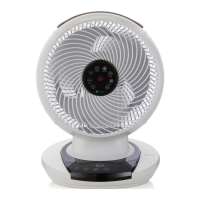
Remote control
• Before using the remote control, remove the plastic tab.
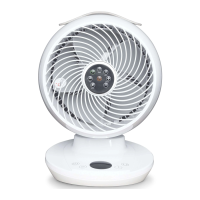
• The remote control is magnetic and can be attached to the centre of the air circulator face.
• The remote control has a range of approximately 4 metres.
The following functions are only available via the remote control or the Meaco app. For instructions
on how to use Power button, Mode, Fan speed, Oscillation or Pause buttons, see pages 7 and 8.
Timer: Use the timer button to set an ON or OFF timer. To remove either the ON or OFF
timer, press the timer button until you reach ‘00 hrs’.
Light: Press the light button to turn o the display. Press again to turn back on.
Mute: Press the mute button to silence the buttons on the air circulator. The air circulator will
beep when the mute button is pressed and then will no longer beep when any other buttons
are pressed. Press the mute button again to unmute. Hold the mute button down for more
than 5 seconds to change the temperature on the display between °C and °F.
Timer on
When the air circulator is in standby mode, use the timer button to move
between 1 and 12 hours in which the air circulator will turn on. When you
reach the desired number of hours on the display, pause, and then the air
circulator will beep twice to lock in your selection. The interface will display
the number of hours in which the air circulator will turn on e.g. ‘03 hr’.
Timer o
When the air circulator is on, use the timer button to move between 1 and
12 hours in which the air circulator will turn o. When you reach the desired
number of hours on the display, pause, and then the air circulator will beep
twice (unless in Night Mode) to lock in your selection.
[EN] 9


 To Next Page