14
Pressure Cooking
Your MultiPot 2.0 comes equipped with the following preset pressure cooking programs:
Poultry, Meat/Stew, Beans/Chili, Soup/Broth, Rice, Multi-Grain, Porridge, Egg, Steam,
and Cake. Each preset button has 3 preset program options. For example, press the
Meat/Stew button once to select Preset 1, select Meat/Stew again to select Preset 2,
and press again to select Preset 3. You can also manually set your own custom program
by using the Pressure Cook button. Complete the following steps to run a pressure
cooking program:
1. Place the steel pot inside the base and plug in your MultiPot. The LCD screen will
display OFF.
2. Place your prepared ingredients into the pot, ensuring that there is at least 1 cup of
liquid in the pot.
CAUTION
Oils and oil-based liquids do not have sufficient water content to account for the
required liquid volume. Acceptable liquids include water, wine, beer, stock, broth,
and juice.
Always place the inner steel pot into MultiPot base before adding ingredients to the
pot! Never place ingredients in MultiPot base without inner steel pot in place. Doing
so can cause damage, injury, and will void your warranty.
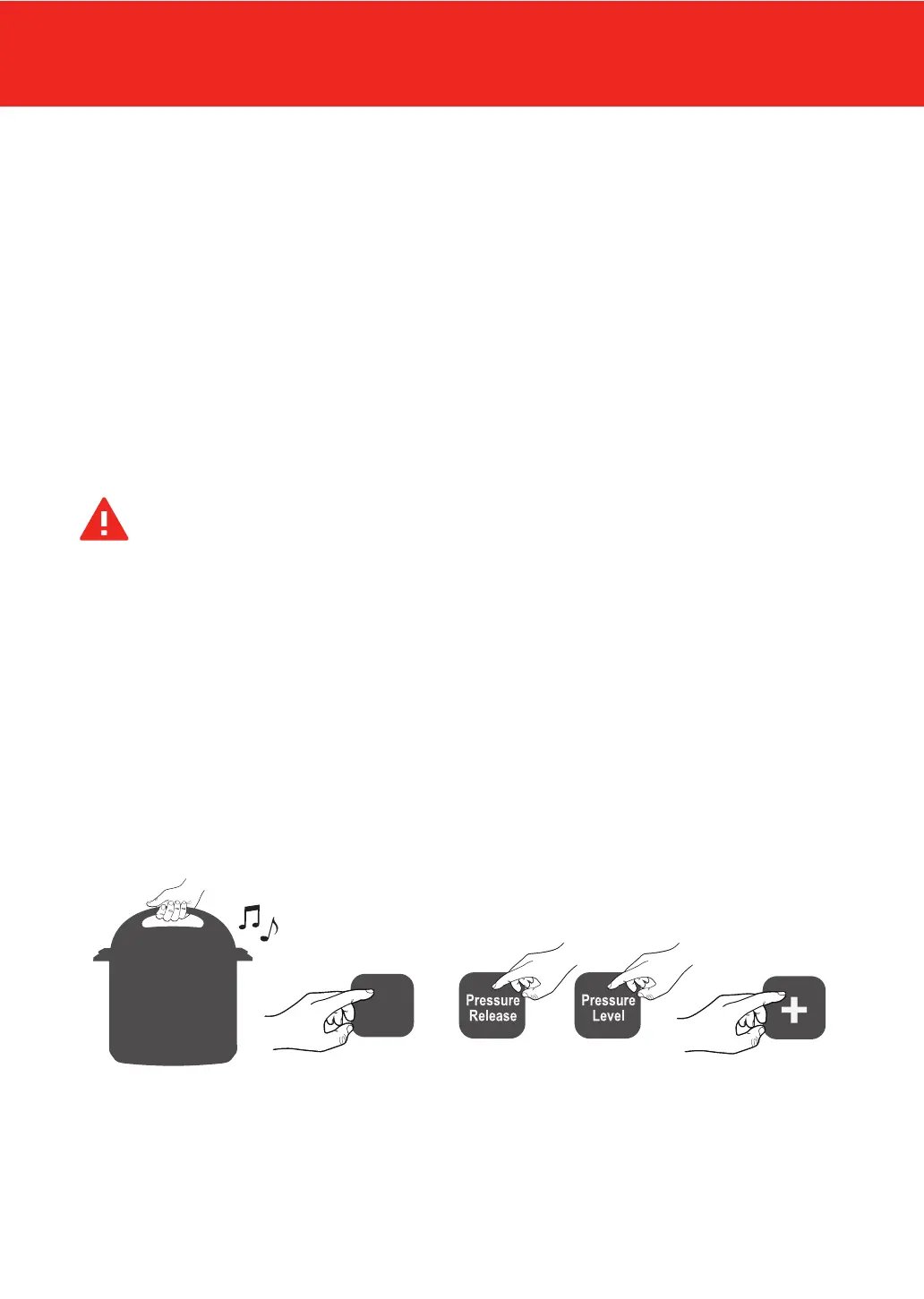
3. Lock the lid in place and select your desired program. Adjust time, release style, and
and pressure level according to your needs and recipe.
LOCK LID SELECT PROGRAM ADJUST TIME
(OPTIONAL)
Pressure
Cook
SELECT RELEASE SELECT LEVEL


 To Next Page