Assembly and Installation of –i System Test Stands Mecmesin iii
Contents
1. Items Supplied with the Test Stand 1
1.1 MultiTest-i test stand 1
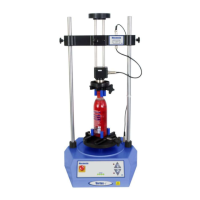
1.2 Vortex-i test stand 1
2. Installation 2
2.1 Unpacking the stand 2
2.2 Lifting the test stand 2
2.3 Locating the stand 2
2.4 Mains power supply 2
3. MultiTest-i Assembly and Installation 3
3.1 Bolting the test stand to the work surface 3
3.2 Fitting the feet to the stand 4
3.3 Fitting the loadcell to the crosshead 4
3.4 Swapping loadcells 6
3.5 Attaching grips and fixtures 6
3.6 Setting the limit stops 6
3.6.1 Limits after connection to the PC, with the software running 8
4. Vortex-i Assembly and Installation 9
4.1 Fitting the crosshead to the Vortex-i 9
4.2 Connecting the intelligent torque cell 9
4.3 Swapping intelligent torque cells 10
5. Connecting the PC (MultiTest-i and Vortex-i) 11
5.1 Connecting the power lead and USB lead 11
5.2 Emergency stop button 11
5.3 Jog buttons 12
6. Installing Emperor Software on Your PC 13
6.1 Minimum system requirements 13
6.2 Access to data folders 13
6.3 Start Emperor 14
System Specifications 15
EC Declaration of Conformance 19


 To Next Page