page 26
Displays calibration information.
Clockwise span
Counter-clockwise span
I Initial Zero
G Gravitational constant
Z Current zero
This is for information only and may be required for
diagnostic purposes by your distributor.
If you suspect that your torque sensor has sustained an
overload, it is possible to check the status of the torque
sensor immediately.
Symptoms of overload may be (a) OL in display (b) buzzer
sound (c) torque indicator bar present even under zero
load.
Place the Tornado on a flat level surface. Press and hold the
MENU key until page 1 of the main-menu appears.
Press and release the MENU key to access the main menu
page 2. Using the UP and DOWN keys move the arrow
cursor to CALIBRATION, and press ENTER.
The display will show 0000. Press the ENTER key four
times (to enter 0000 as the password).
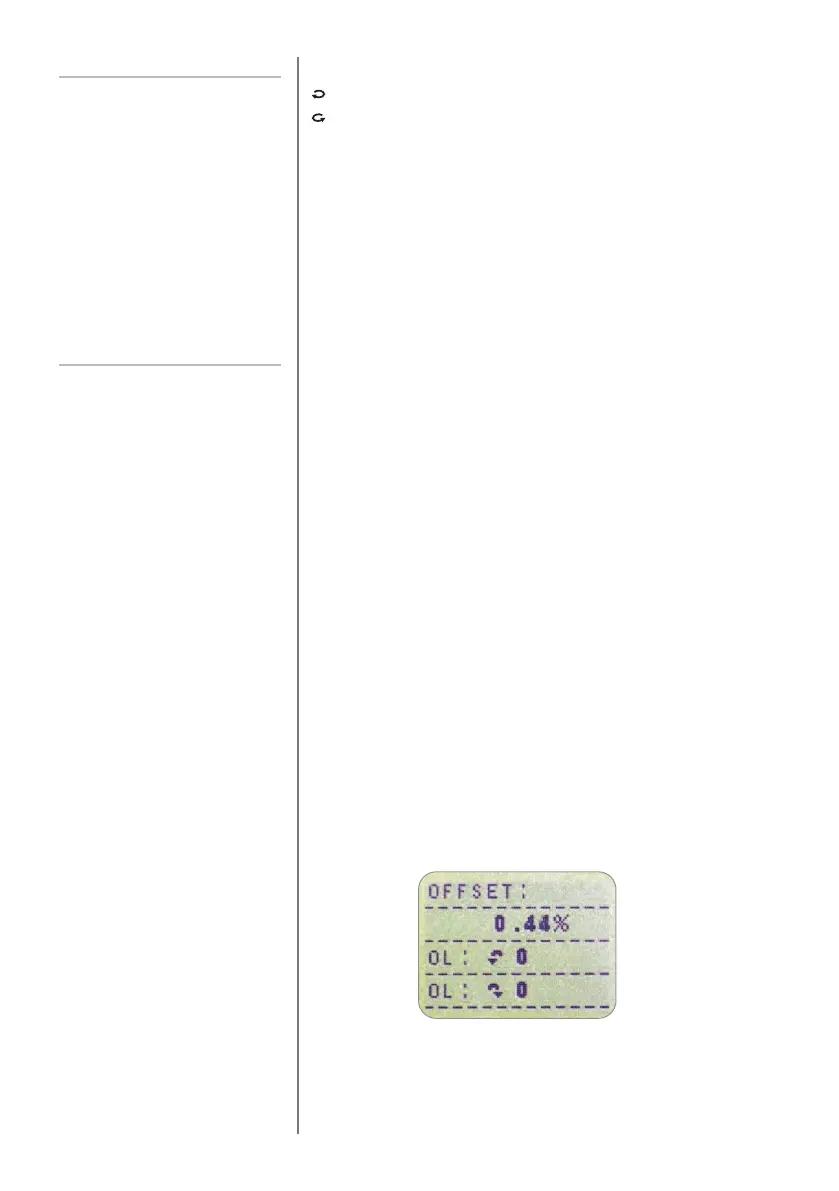
CALIBRATION sub-menu 2 (the torque sensor diagnostic
test screen) will appear on the display, as shown in Fig. 12.
INFORMATION
CALIBRATION
An instrument showing an overload
condition cannot be relied upon to
provide accurate, repeatable
measurement – consult your
supplier.
CALIBRATION sub-menu 1
CALIBRATION sub-menu 2
Fig. 12



 To Next Page