Disassembly and Assembly
Confidential Information of MEDCAPTAIN MEDICAL TECHNOLOGY CO., LTD. 65 / 93
washer+flat washer assemblies (4).
4. Take down the HP-60 door control two-layer motor (5).
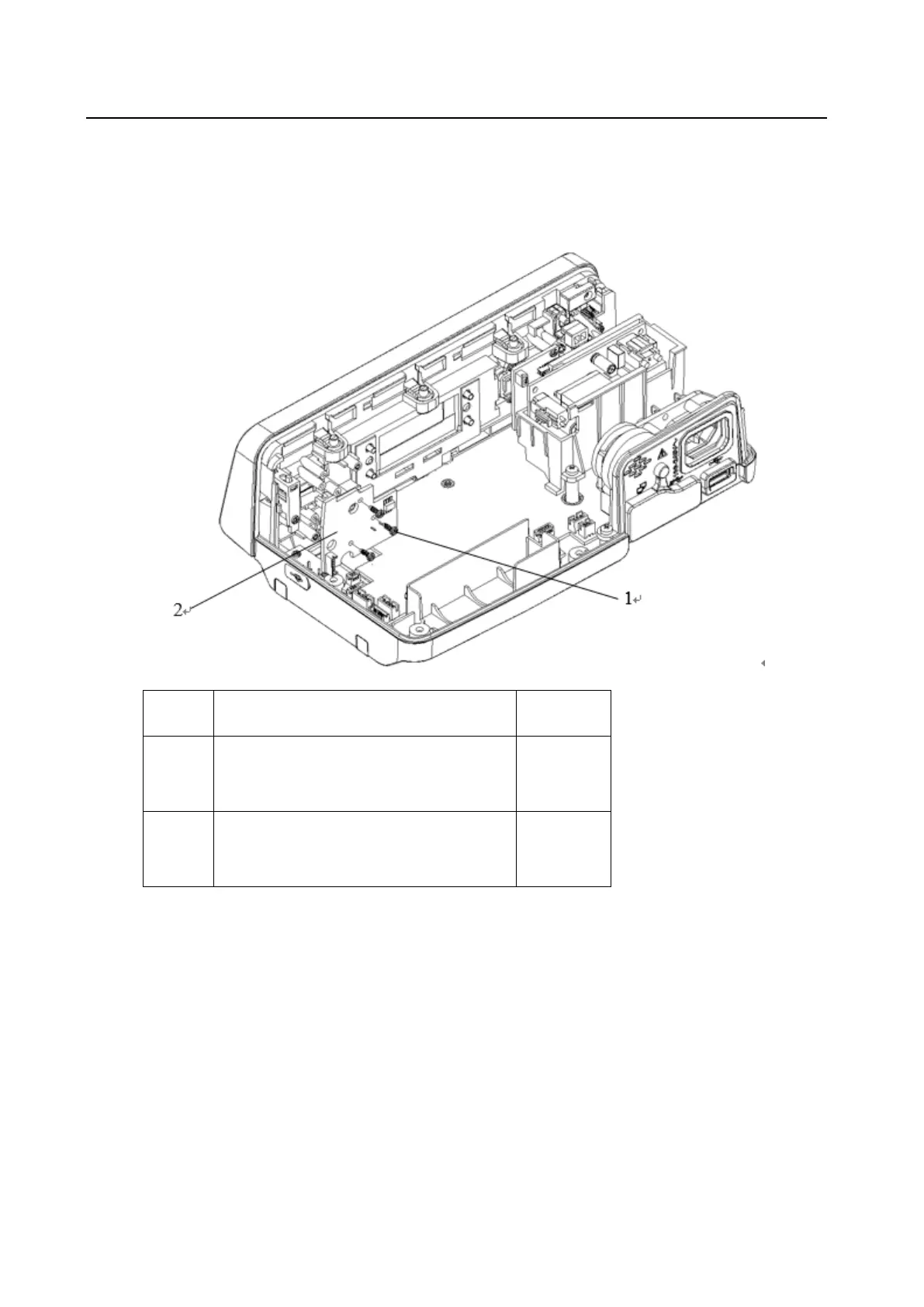
1.10 Dismantling the HP-60 Fluid Side Occlusion Pressure Detection PCBA
PT2.3*6 cross recessed pan head drilling
PT thread tapping screw
HP-60 fluid side occlusion pressure
detection PCBA
1. Remove the three PT2.3*6 cross recessed pan head drilling PT thread tapping screws (1).
2. Take down the HP-60 fluid side occlusion pressure detection PCBA (2).
1.11 Dismantling the Separate Air Bubble Sensor Module A



 To Next Page