EasyManua.ls Logo

MEDCAPTAIN HP-60 - Service Manual

Default Icon
93 pages
Print Icon
To Next Page IconTo Next Page
Loading...
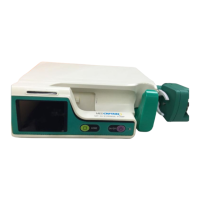
Infusion Pump HP-60
Before maintaining the HP-60 infusion pump, please read this Manual carefully and
follow the safety precautions and maintenance instructions contained herein.
MEDCAPTAIN MEDICAL TECHNOLOGY CO., LTD
Service Manual

Table of Contents

Questions and Answers

  • B
    brettwilkinsSep 12, 2025
    What does ERR 002 mean on MEDCAPTAIN HP-60 and how to fix it?
    • J
      jenniferstewartSep 12, 2025
      The 'ERR 002' on your MEDCAPTAIN Medical Equipment means that the motor rotation direction is opposite to the expected direction. You can: 1. Check the optocoupler and related connection cable. 2. Check the speed measurement board and related connection cable.
  • S
    sethmckaySep 12, 2025
    What does ERR 001 mean on MEDCAPTAIN Medical Equipment?
    • T
      Taylor LaneSep 12, 2025
      The 'ERR 001' on your MEDCAPTAIN Medical Equipment can be caused by: 1. The motor is locked. 2. The motor rotation speed is too low. 3. The motor rotation speed is too high. To solve the problem: 1. Check the optocoupler and related connection cable. 2. Check the motor and related connection cable. 3. Check the speed measurement board and related connection cable. 4. Check the main board.
  • G
    garrett22Sep 10, 2025
    What does 'Relay Failed' mean on MEDCAPTAIN Medical Equipment?
    • E
      eleeSep 10, 2025
      The 'Relay Failed' alarm on your MEDCAPTAIN Medical Equipment indicates that communication was interrupted during the relay process, or external interference caused a relay sequence failure. Tap Stop to eliminate the alarm. Enable the local relay again.
  • M
    Mary JeffersonSep 9, 2025
    Why does MEDCAPTAIN HP-60 show 'Reminder Alarm'?
    • J
      Jenna SloanSep 9, 2025
      The 'Reminder Alarm' on your MEDCAPTAIN Medical Equipment appears when no key operation is performed within 2 minutes after the syringe is installed. To eliminate the alarm, tap any key.
  • J
    Jessica HillSep 8, 2025
    What does 'Standby End' mean on MEDCAPTAIN Medical Equipment?
    • L
      Logan SolisSep 8, 2025
      The 'Standby End' alarm on your MEDCAPTAIN Medical Equipment indicates that the standby time is over. To exit the standby state, tap the Cancel button.
  • E
    emartinezAug 23, 2025
    How to fix no AC power on MEDCAPTAIN HP-60?
    • S
      Shari YatesAug 23, 2025
      If your MEDCAPTAIN Medical Equipment has no AC power, it's likely due to a lack of external AC or DC power. To resolve this, connect the equipment to an external AC or DC power source immediately.
  • T
    taraadamsSep 6, 2025
    What does 'Drop Chamber Overflow' mean on MEDCAPTAIN HP-60 Medical Equipment?
    • D
      Dean ColeSep 6, 2025
      The 'Drop Chamber Overflow' alarm on your MEDCAPTAIN Medical Equipment indicates that the drip chamber overflows during the infusion. Tap Stop to eliminate the alarm. Check the installation of the drop sensor.
  • J
    Jennifer SmithSep 5, 2025
    What to do if MEDCAPTAIN HP-60 Medical Equipment shows 'Too Few Drops'?
    • H
      hernandezcalvinSep 5, 2025
      The 'Too Few Drops' alarm on your MEDCAPTAIN Medical Equipment indicates that the drop rate is too low during the infusion. Tap Stop to eliminate the alarm. Check the installation of the drop sensor.
  • K
    Kyle MilesSep 4, 2025
    What to do if MEDCAPTAIN HP-60 Medical Equipment shows 'Too Many Drops'?
    • A
      Anne BishopSep 4, 2025
      The 'Too Many Drops' alarm on your MEDCAPTAIN Medical Equipment indicates that the drop rate is too high during the infusion. Tap Stop to eliminate the alarm. Check the installation of the drop sensor.
  • P
    Patricia HarperSep 3, 2025
    What does 'Infusion Near End' mean on MEDCAPTAIN Medical Equipment?
    • S
      Stephanie CoffeySep 3, 2025
      The 'Infusion Near End' alarm on your MEDCAPTAIN Medical Equipment indicates that the infusion will be completed in the alarm time. Wait until the infusion is completed.

Summary

Important Information

Intellectual Property and Statement

Company rights, copyright, and statement of operation.

Service Personnel Requirements

Qualifications and permissions needed for service personnel.

Service Manual Limitations

Manual scope and differences from modified devices.

Technical Safety Checks (TSC)

User's obligation to perform safety checks per standards.

Device Maintenance & Inspection Safety

Warnings regarding power supply and maintenance risks.

Quality Control & Certifications

Compliance with ISO, MDD, and CE certification.

General Safety Warnings

High voltage warnings and risks of improper maintenance.

Acronyms and Abbreviations

List of common acronyms used in the manual.

List of Symbols

Visual guide to symbols used in the manual.

Contact Information

After-sales service details including address, fax, and website.

System Overview

Intended Use and Composition

Purpose of the product and its main components.

Appearance: Front and Interior Views

Labeled diagram of the front and pump door interior.

Appearance: Rear View and Accessories

Labeled diagram of the rear view and list of accessories.

Product Specifications

Detailed specifications including dimensions, conditions, power, and screen.

Indicators, Interfaces, and Parameters

Description of indicators, ports, and core infusion parameters.

Advanced Features and Safety Standards

Occlusion, air bubble, modes, library, alarms, wireless, safety standards.

Hardware Description

Circuit Block Diagram

Visual representation of the HP-60 infusion pump's circuit layout.

Power Board and Main Control Board

Circuit description and functions of the power and main control boards.

Component Board Descriptions

Details on Pump Door, Drop Sensor, Motor Speed, Pump Finger, Occlusion, Tube, Anti-Free-Flow boards.

Specialized Hardware Components

Description of Door Potentiometer Assembly and Battery Pack.

Sensor Information

Sensor Information Test Procedures

Step-by-step guide for performing various sensor tests on the device.

Maintenance Procedures

Maintenance Overview and Periodic Checks

Importance of regular checks and customer maintenance.

Battery Maintenance and Replacement

Procedures for checking, removing, and installing the internal battery.

Cleaning and Disinfection

Preparation and Cleaning Process

Steps to prepare the device for cleaning and recommended cleaning methods.

Disinfection and Drying Procedures

Warnings and procedures for disinfecting the device and air drying.

Calibration Procedures

Screen and Door Sensor Calibration

Steps to calibrate the touch screen and door potentiometer.

Pressure and Occlusion Calibration

Procedures for calibrating pressure sensors and occlusion levitate values.

Pump Head Pressure and Accuracy Calibration

Steps for adjusting pump head pressure and calibrating infusion accuracy.

Alarms and Troubleshooting

Alarm Levels and Indicators

Classification of alarms into low, middle, and high levels with sound/light indicators.

Common Faults and Troubleshooting

Table of common alarm messages, causes, and troubleshooting steps.

System Faults and Error Codes

Troubleshooting for system errors, voltage issues, and communication errors.

Repair Checks and Notes

Refers to appendix for checks after repair and troubleshooting notes.

Disassembly and Assembly

Battery, Panel, and Socket Removal

Steps for removing battery, panels, sockets, speakers, AC-DC module.

PCBA and Sensor Module Removal

Steps for removing various PCBA modules and sensor modules.

Pump and Drive Assembly Removal

Steps for removing peristalsis pump, motor, and door drive assemblies.

Fastener Assembly and General Guidelines

Steps for fastener removal and general assembly recommendations.

Appendix

Software Upgrade Process

Tools and detailed steps for upgrading the device software.

Technical Safety Check (TSC) Checklist

Comprehensive checklist for periodic safety inspections.

MEDCAPTAIN HP-60 Specifications

General IconGeneral
BrandMEDCAPTAIN
ModelHP-60
CategoryMedical Equipment
LanguageEnglish

Related product manuals