Page14
SAMBA (Network Setup)
If your PC or NAS has Share’s setup to specific users then you will need to setup a
shortcut on the X3 to each User Share and specify the IP, Username and Password
Setting up Samba shortcuts on the X3
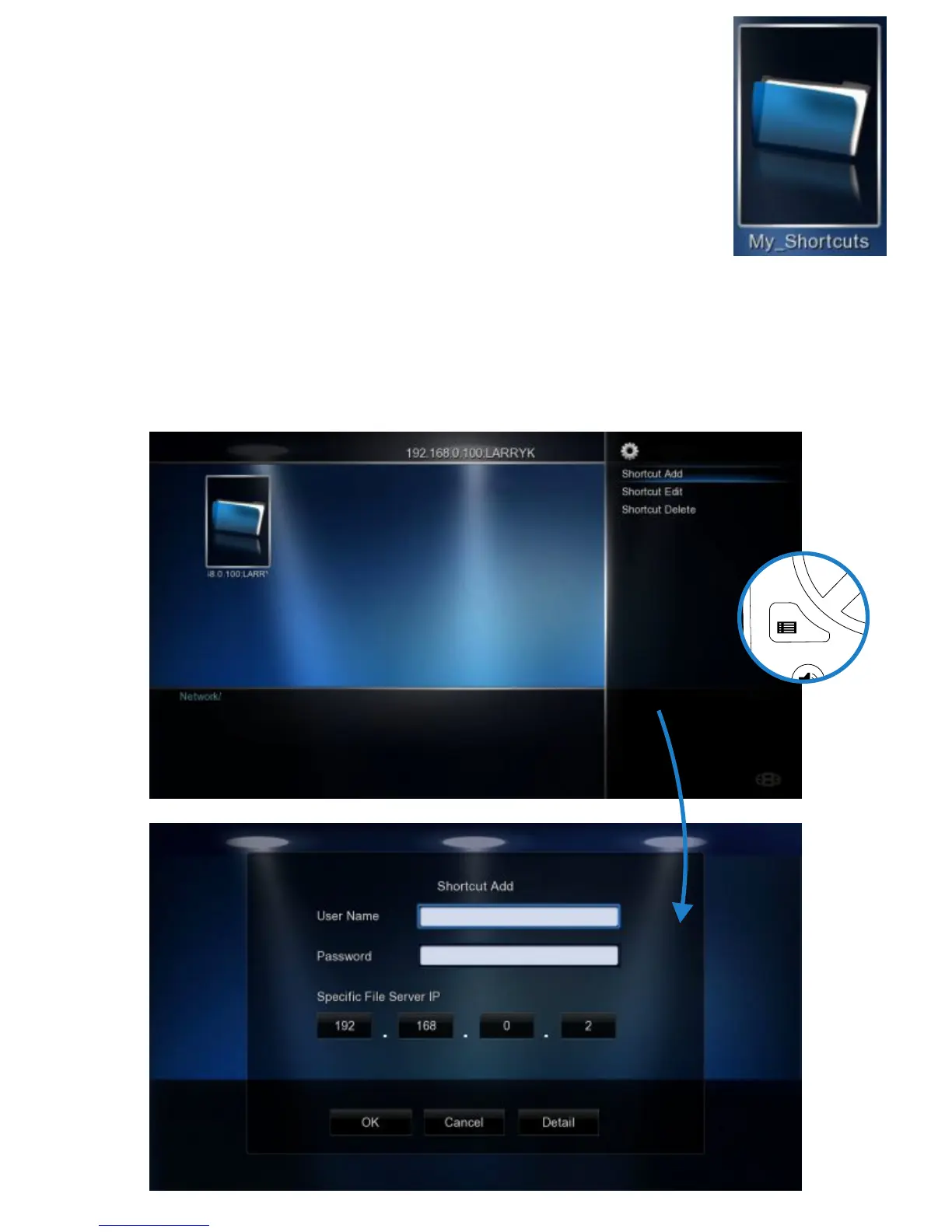
Select ‘Network’ and then select the ‘My_Shortcuts’ icon. Now press the ‘Menu’ button
and select ‘Add New Shortcut’. Fill in the fields User Name, Password, IP Address
(Host Machine), and select ‘OK’
NOTE: In order to browse your secure shares you will have to enter ‘My_Shortcuts’
and then select the Shortcut’s that you have setup.
Tip - Navigate to the Share Via ‘My Shortcuts’ and press the ‘Menu’ button and select ‘ Add to Favourites’ -
Now you will be able to launch the share from the Favourite Desktop.
PUBLIC SHARES
Public Shares (shares that do not have a Username and Password) can be browsed via the
Media Library ---> Network and no user name or password is required.



 To Next Page