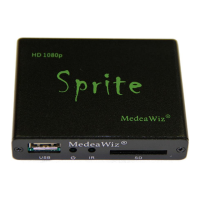
MedeaWiz® Sprite
Team Kingsley LLC
1 | P a g e
Table of Contents
Introduction .................................................................................................................................................. 2
What’s in the box .......................................................................................................................................... 3
Sprite Quick Start Guide ................................................................................................................................ 4
On-Screen Menu for Setup ........................................................................................................................... 5
Menu Language............................................................................................................................................. 6
Screen Saver .................................................................................................................................................. 7
Video Output Mode ...................................................................................................................................... 8
Audio Output Mode ...................................................................................................................................... 9
Play Mode ................................................................................................................................................... 10
Control Mode .............................................................................................................................................. 11
Baud Rate .................................................................................................................................................... 12
SD/ Start Mode ........................................................................................................................................... 13
Restore Default Setting ............................................................................................................................... 14
Firmware Version ........................................................................................................................................ 15
Firmware Upgrade ...................................................................................................................................... 16
Wiring Connections Rear Panel .................................................................................................................. 17
External Control – Wiring a Pushbutton to the I/O Port ............................................................................. 18
External Control - Wiring for Serial Communications to the I/O Port ........................................................ 19
PLC Output Interfacing ................................................................................................................................ 20
Motion Sensor Wiring ................................................................................................................................. 21
Schematic of I/O on the Sprite circuit board .............................................................................................. 22
Using legacy DV-68K and TK series interfaces with the Sprite ................................................................... 23
Serial Port Control from your Show Controller or Micro-processor ........................................................... 24
Serial Port Control Commands .................................................................................................................... 25
IR Remote Control ....................................................................................................................................... 27
Power Supply .............................................................................................................................................. 28
Supported Video Formats ........................................................................................................................... 29
Support ....................................................................................................................................................... 30
Custom Orders ............................................................................................................................................ 31


 To Next Page