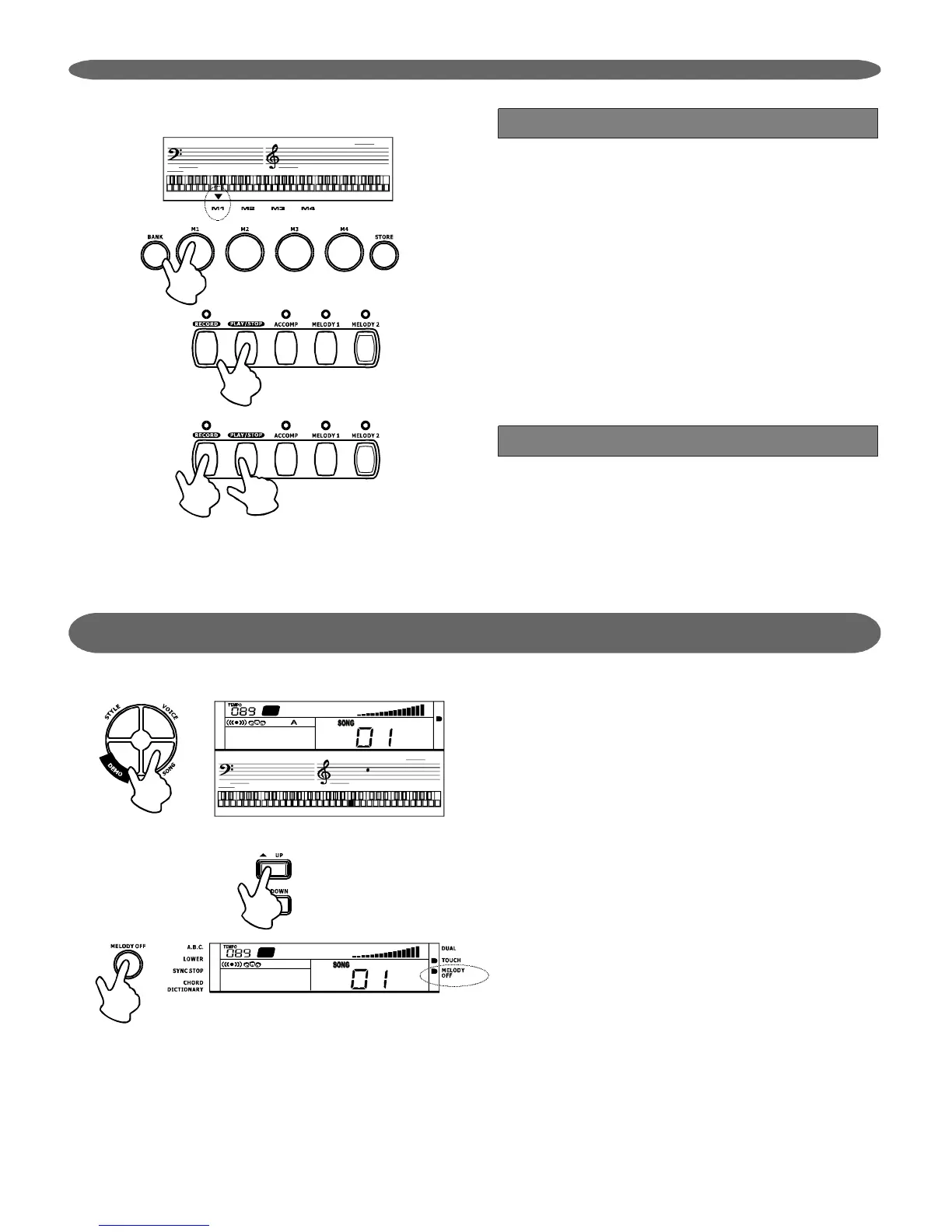
RecordPlay
RecordDelete
Selectthetrackstoplay,andtheLEDofthetrack
willbelightened,whichindicatethatthetrackis
readytoplay,andthedarkenedLEDindicatesthat
thetrackisnotreadytoplay.IftheLEDcannotbe
lightened,thatmeansitisanemptytrack.
Afterselectingthetrack,press[PLAY/STOP]button
tostartplayingthetrackdata.Press[PLAY/STOP]
againtostopplaying.
2.
1.
Press[RECORD]and[PLAY/STOP]
simultaneouslywhenpowerisonthekeyboard.It
willclearalltherecorddata.
Song
Thereare60songsatall(seeAppendix)
Press[SONG]buttontoentertothesongmode.
Itwillplayallthe60songsonebyone.
Afterpressing[START/STOP],[UP]/[DOWN]or
[MELODYOFF]button,itwillplaythecurrentsong
repeatedly.
Use[UP]/[DOWN]buttontoselectthesong.
Changethesongwhenthesongisplaying.
Inthesongmode,press[MELODYOFF]button
canmutethemelodytrack.Themelodyoffflag
lightensonLCD.Thekeyboardvoiceis
automaticallychangedtothesamevoiceasthe
melodytrack.Youcanlearntoplaythesongby
followingthenotesdisplayedonLCD.Theoriginal
voicewillbegotbackafteritquitthesongmode.
SongStart/Stop:
SongSetting:
2.
1.
15
PDF 文件使用 "pdfFactory Pro" 试用版本创建 www.fineprint.com.cn


 To Next Page