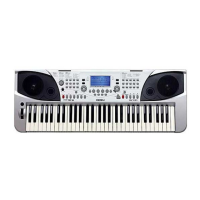
Why is there no sound when playing my Medeli AKX10 Keyboard?
S
Scott LeJul 27, 2025
If your Medeli Keyboard isn't producing sound, several factors could be at play. First, ensure the master volume isn't set too low and is adjusted to an audible level. Also, check that the speaker mode isn't set to 'Always OFF'; if it is, turn it on. Individual parts' volumes might also be too low, so adjust those accordingly. Another potential issue is the [Fade In/Out] switch being activated—deactivate it. Confirm that at least one keyboard part switch is turned on. Finally, the playing channel could be muted; access the mixer interface menu to unmute it.
D
Dennis SimpsonJul 31, 2025
What to do if my Medeli Keyboard sound is distorted or noisy?
H
hardydanaJul 31, 2025
If the sound from your Medeli Keyboard is distorted or noisy, it could be due to several reasons. Check if your volume settings are properly adjusted. Also, some effects parameters may not be set to reasonable values, so make sure to adjust them. Note that some effects will naturally produce noise when adjusted; this is normal.
A
Amanda WatersAug 4, 2025
What to do if sustain pedal doesn't work on Medeli AKX10 Keyboard?
B
Benjamin ConnerAug 4, 2025
If the sustain pedal isn't working on your Medeli Keyboard, try turning the instrument off and then turning it back on while stepping on the sustain pedal. It is recommended to use the official standard pedal.
D
David ClarkAug 9, 2025
What to do if vocal harmony sounds out of tone on Medeli AKX10 Keyboard?
A
Anthony KingAug 9, 2025
If the Vocal Harmony on your Medeli Keyboard sounds out of tune or distorted, especially when a song is playing, it might be because the microphone is too close to the speaker, or other nearby sounds are being picked up. Please try adjusting the microphone's position.
L
Laura PhamAug 13, 2025
What to do if there is no sound after selecting a voice on Medeli AKX10?
M
Michael RhodesAug 13, 2025
Check if the voice of the corresponding part is selected and the part switch is turned on.
J
James KirbyAug 17, 2025
What to do if no response after pressing “Cancel” chord on Medeli Keyboard?
T
Tina HernandezAug 17, 2025
Check whether the current chord playing mode has been set to “multi-fingered”. Cancel and Cancel 2 can only be triggered in this mode.
T
Timothy RichardAug 22, 2025
Why no sound after pressing [START/STOP] to start Style playback on Medeli Keyboard?
S
Stephanie FrancisAug 22, 2025
If there's no sound after pressing [START/STOP] to begin Style playback on your Medeli Keyboard, a piano style might be selected. Pressing [START/STOP] will initially play a percussion channel, which a piano style lacks.