143
Expand the features of this instrument with the MIDI function. This section will briey explain what MIDI is, what MIDI
does, and how to use MIDI on this instrument.
MIDI Introduction
MIDI is an abbreviation of Musical instrument Digital Interface. Is the industry standard for musical data transmission.
Electronic instruments can use MIDI to communicate with each other by sending and receiving compatible notes, control
conversions, program conversions, and various types of MIDI data or messages.
Through MIDI, the instrument can control an external MIDI device and also be controlled by external MIDI devices. Con-
trollable functions include: note on/off, controller, voice, parameter changes and so on.
The MIDI Interface
In order to exchange MIDI messages between different MIDI devices, they need to be connected to each other by MIDI
cables.
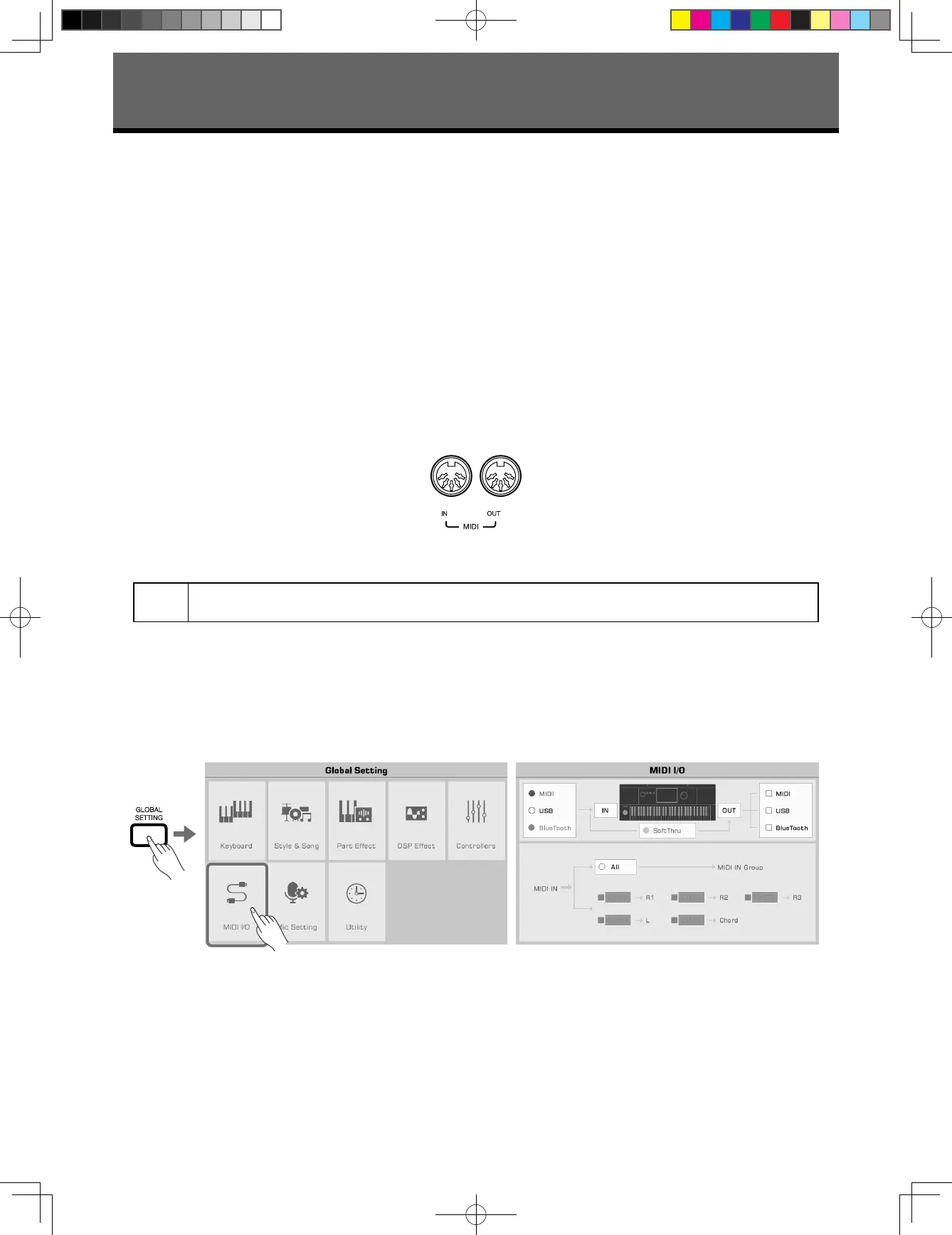
This instrument has two MIDI ports: MIDI IN and MIDI OUT. The MIDI IN port is used for receiving MIDI messages from a
computer. MIDI OUT is used for transmitting messages of this instrument to other MIDI devices.
The instrument can also send or receive MIDI signals through the USB TO HOST interface and Bluetooth.
Note!
Before connecting this instrument to USB cable, make sure your computer is awake from sleep or standby
mode. Connect the USB cable to the instrument and computer before powering on.
MIDI IN Settings
Set up the MIDI IN function of this instrument as follows:
1. Press the [GLOBAL SETTING] button on the panel to bring up the selection menu. Press “MIDI I/O” to enter the MIDI
function settings menu.
MIDI I/O
AKX10_OM05_EN_190816.indd 143 2019/8/16 13:38


 To Next Page