13
Sleep button
When pressed, the stretcher trolley is put into the sleep mode.
Countdown to sleep
Displays the number of seconds to automatic sleep. After pressing any button on the
stretcher trolley, the value is reset.
The timer value can be set on the “Basic Settings” screen under “Sleeping time” (p. 17).
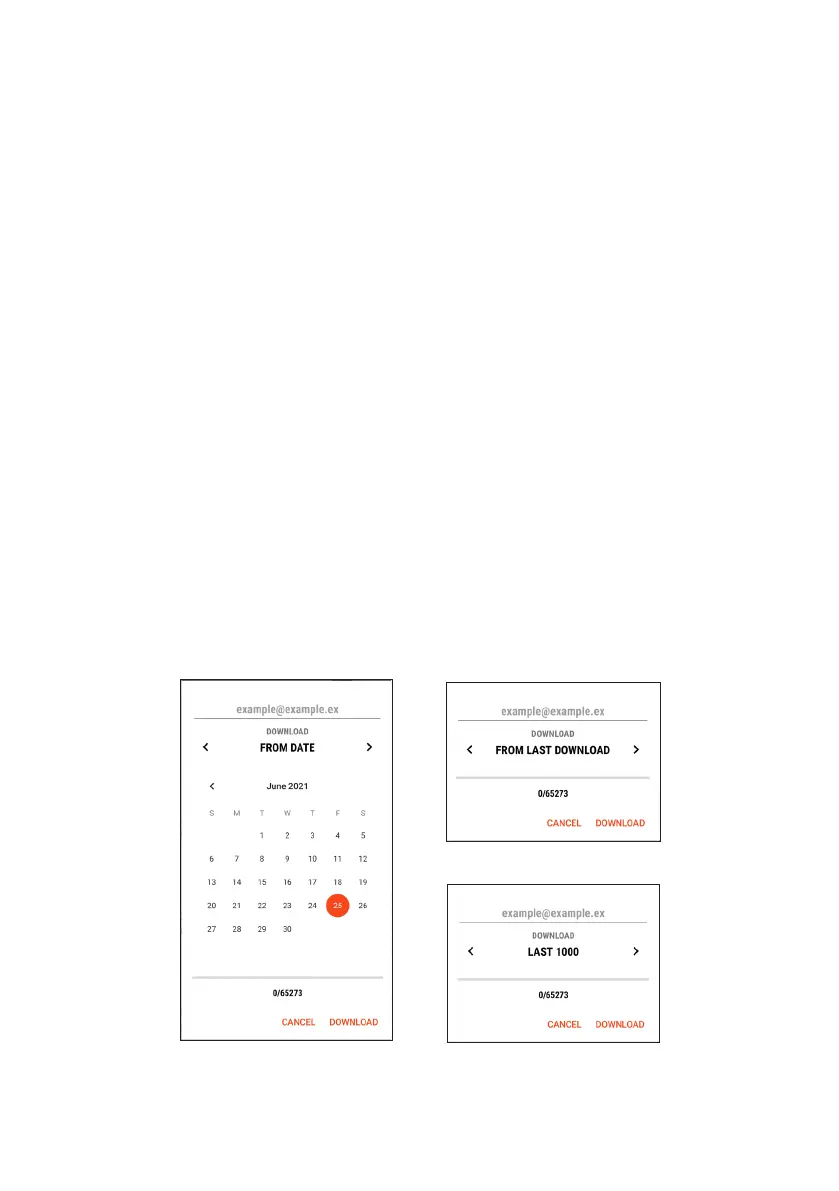
Data download button
Downloads the data from the control unit. These data are needed for more accurate
diagnostics and displaying the graphs; see chapter “Graphs” (p. 25).
The download procedure:
1) Select the download range:
a) From date – downloads all data from the selected calendar day.
b) From last download – downloads all data from the last download till now.
c) Last 1000 records – downloads the last 1000 records.
2) Press the Download button.
3) After downloading, select how to save or send the data.
The download range options


 To Next Page