EasyManua.ls Logo

MediSense Precision PCx - Page 108

MediSense Precision PCx
151 pages
Print Icon
To Next Page IconTo Next Page
To Previous Page IconTo Previous Page
Loading...
8-48
What You See
on the Display
What You Do Comments
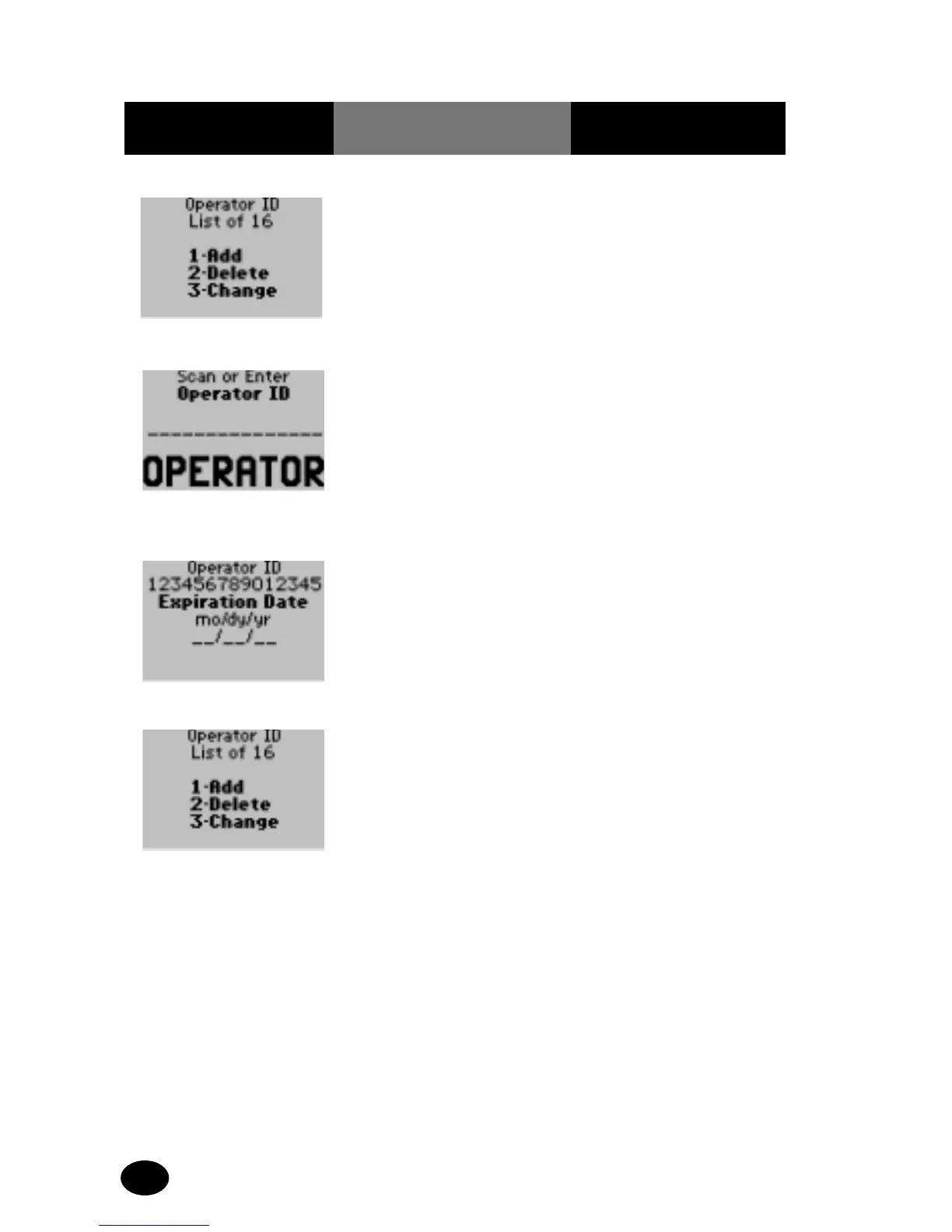
Add an Operator to the Operator List:
1. Press 1 Add. The display shows the
Scan or Enter Operator ID
screen.
2. Press Scan or manually
enter the Operator ID
via the keypad and
press Enter.
The display shows the
Operator ID Expiration
Date menu. Enter a
certification Expiration
Date for the operator,
using the two-digit
number format for
the date.
3. Enter the expiration
date then press Enter.
The display is returned
to the Operator ID List
menu.
4. The administrator will
select one of the
following options:
Press Clear to return to
the Edit Lists menu.
Press Menu to return to
the Menu Mode.
Press On/Off to turn off
the monitor.

Related product manuals