Questions? Refer to Page 10-13 For Customer Care Information.
8-21
What You See
on the Display
What You Do Comments
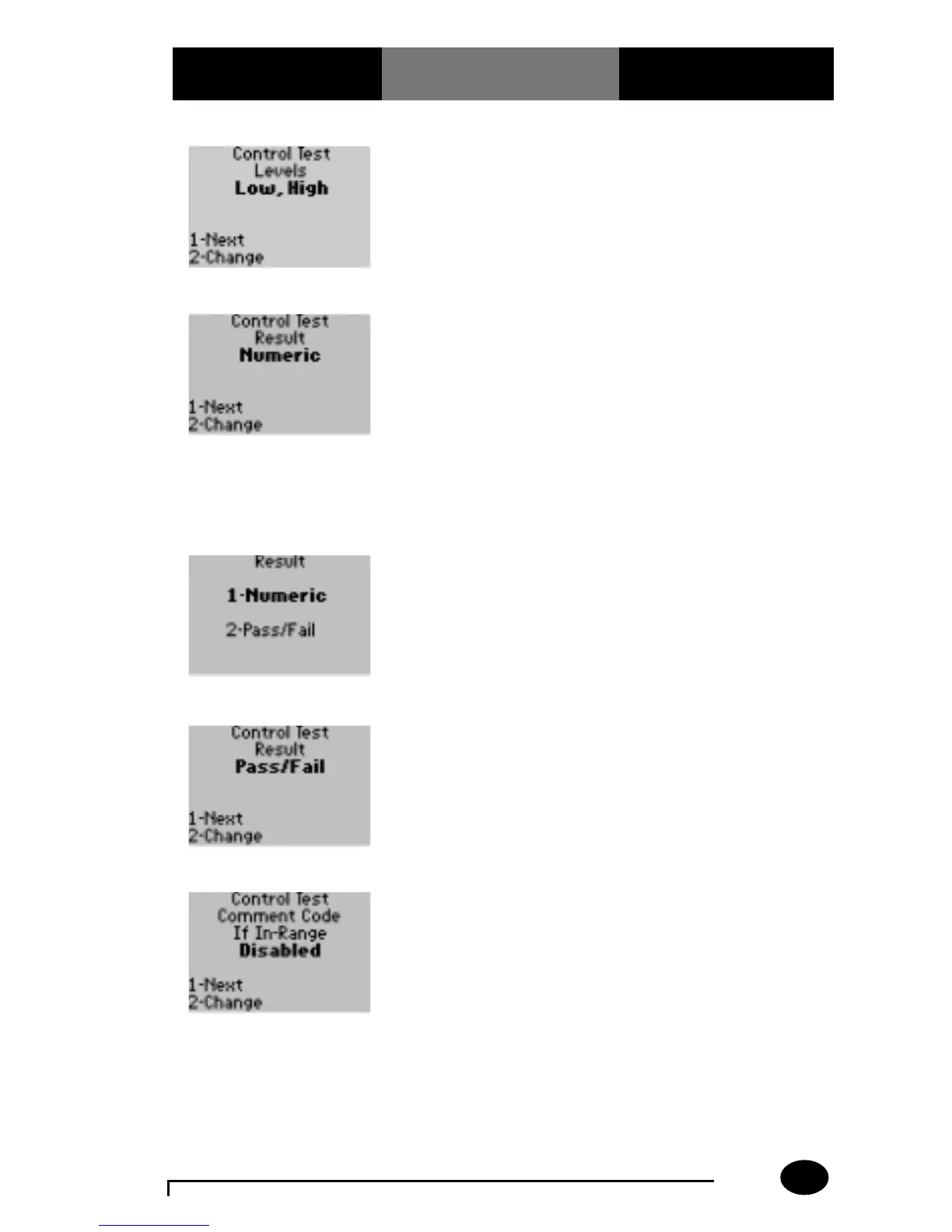
5. Press 1 – Next, to
continue to the Control
Test Result menu.
The display shows
the Control Test Result
option. The control
test results can be set
to appear as numeric
or Pass/Fail.
6. The administrator will
select one of the
following options:
Press 1 – Next, to review
In-Range Comment Code;
skip forward to step 9.
Press 2 – Change, to
change the result to
Numeric or Pass/Fail.
The display shows the
Control Test Result menu.
Pass/Fail indicates
whether the control test
result is in-range or out-
of-range.
7. The administrator will
select one of the
following options:
Press 1 – Numeric.
Press 2 – Pass/Fail.
The display is returned
to the Control Test Result
menu.
8. Press 1 – Next. The display shows the
Control Test Comment
Code If In-Range screen.
9. The administrator will
select one of the
following options:
Press 1 – Next, to
continue to Control Test
Comment Code If Out-of-
Range menu. Skip
forward to step 12.
Press 2 – Change, to
change the In-Range
Comment Code option.
The display shows the
Comment Code If In-
Range options.



 To Next Page