8-30
What You See
on the Display
What You Do Comments
Review/Change Test Setup for Test Type:
Refer to the beginning of the Review or Change Setup section for the
step-by-step instructions to access the appropriate setup menu.
If the monitor displays a message not indicated in these procedures,
please refer to section 10, Troubleshooting.
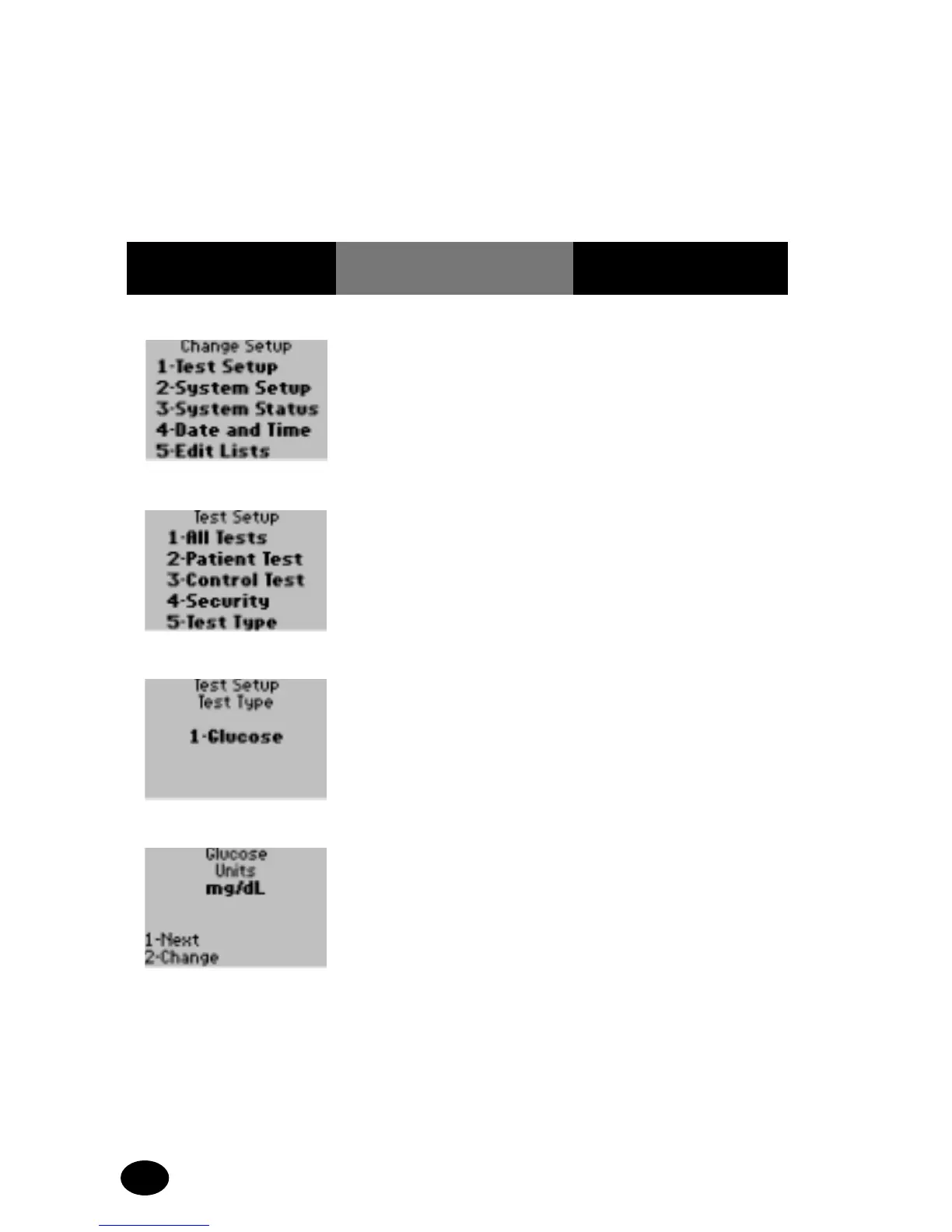
1. Press 1 – Test Setup. The display shows
the Test Setup menu.
2. Press 5 – Test Type. The display shows the
Test Setup, Test Type
menu.
3. Press 1 to continue to
Glucose Units option.
The display shows the
Glucose Units screen.
4. The administrator will
select one of the
following options:
Press 1 – Next, to
continue to Glucose
Sample Type menu; skip
forward to step 7.
Press 2 – Change, to
change the test
measurement units.
The display shows the
Units options.



 To Next Page