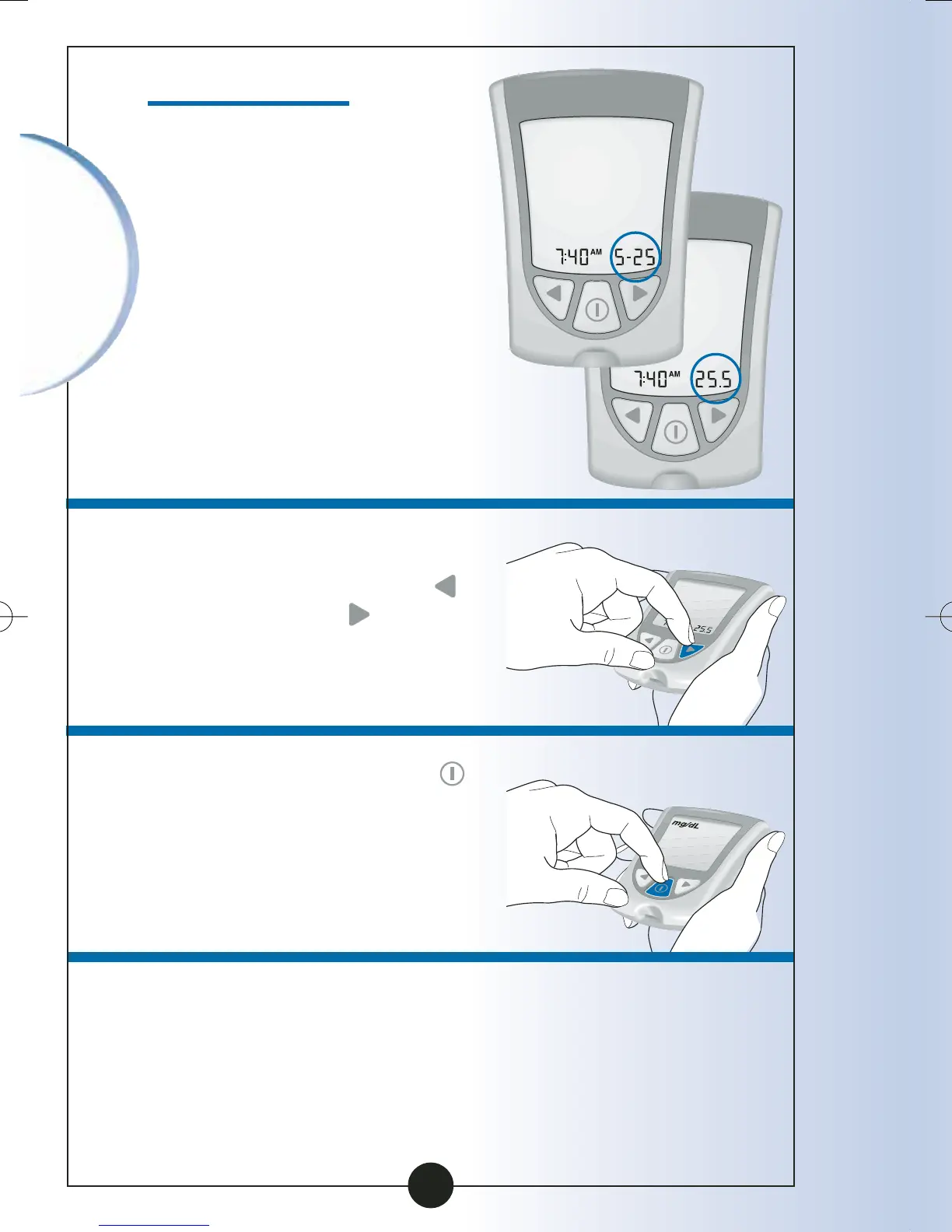
Set Date Format
You have two choices:
Choice #1: For the month-
day format, "
-" shows with
the date.
Example:
"May 25" shows as "5-25".
Choice #2: For the day.month
format, "
•
" shows with
the date.
Example:
"25 May" shows as "25.5".
1
To change the Date Format,
Press and Release the
button or the
button once.
2
Press and Release the
button to save the Date
Format and to move to
Measurement Units.
Setting Up
Your Monitor
19
ART06986-Rev-B-MAN 8/22/05 11:02 AM Page 22



 To Next Page