P11
Portable Digital Color Doppler Ultrasound System
5.3.14 Compound Imaging
COMPOUND
• go to the B mode menu (Section 5.3.1), highlight COMPOUND.
• use the
LEFT/RIGHT
keys to turn On or Off the Compound Imaging function.
5.3.15 Frequency Range
FREQUENCY
The transducer is capable of generating a broadband signal with a certain start frequency
and a certain bandwidth. The higher frequency that is set, the higher the resolution and the
lower the penetration.
• go to the B mode menu (Section 5.3.1), highlight FREQUENCY.
• use the
LEFT/RIGHT
keys to change the frequency range.
Remarks:
The frequency range is displayed at the 2D Image Info area FRQ.
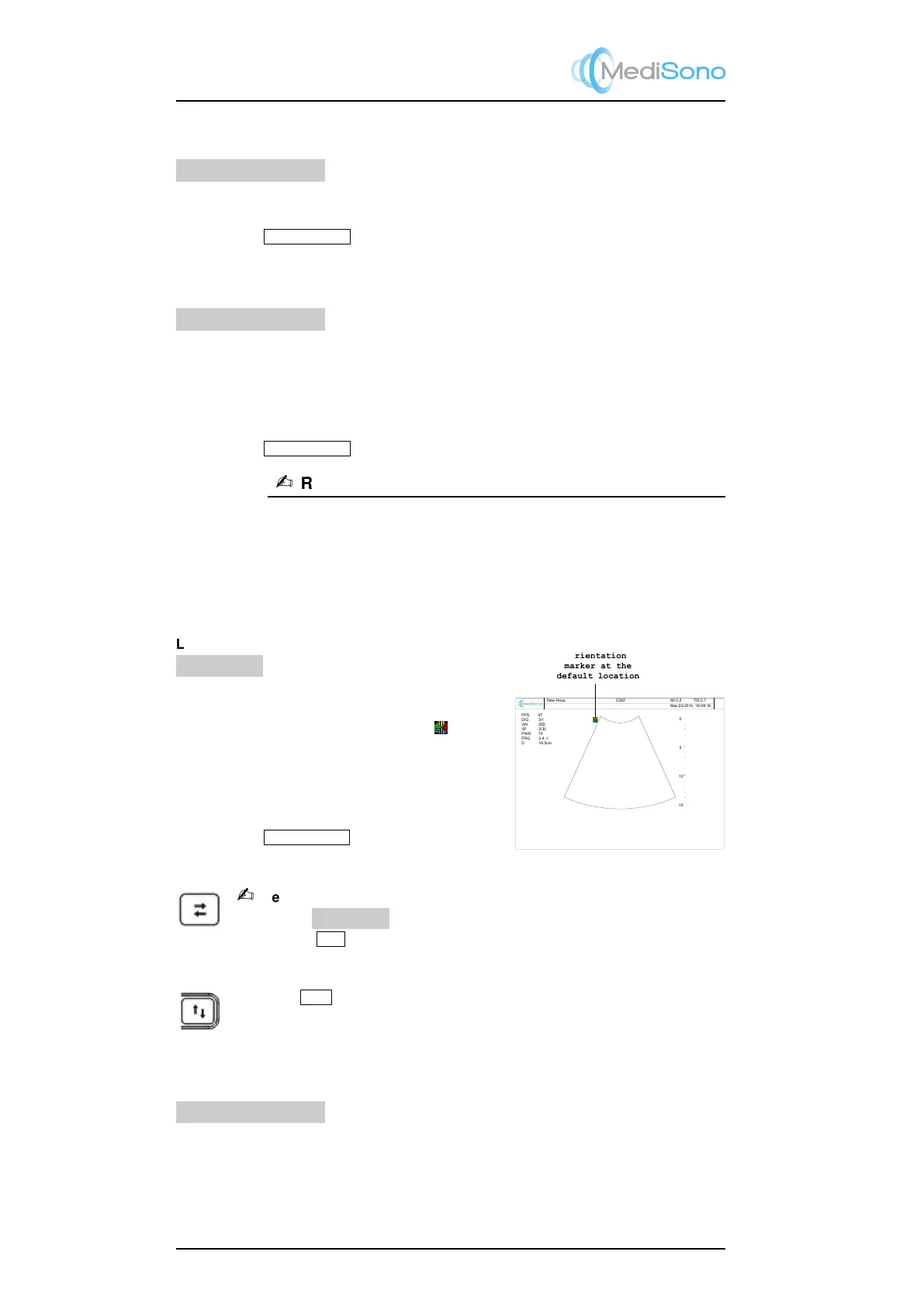
5.3.16 Image Orientation (Left/Right, Up/Down)
Change of the image orientation is possible with all imaging modes (real-time or frozen)
independent of the display format (single, dual, quad).
Orientation
marker at the
default location
New Hosp.
C362
FPS 47
D/G 3/1
GN 255
I/P 3/30
PWR 70
FRQ 3-4
.8
D 16.5cm
0
5
15
10
Mar-23-2010 16:08:16
MI 0.2 TIS 0.7
Left/Right
LT↔RT
Use this function to alternate the image orienta-
tion between left and right without rotating the
scan head itself. The orientation marker ( ) cor-
responds to the position of the first element of the
array on the transducer.
• go to the context menu, highlight LT↔LT.
• use the
LEFT/RIGHT
keys to alternate the
image orientation between left and right.
Remarks:
If the item LT↔RT is not available in the context menu, you can
also use the
L/R
key to change the image left/right orientation.
Up/Down
Press the
U/D
key to alternate the image orientation between up and down.
5.3.17 Adaptive Image Fusion
ADAPT. IM FUSION
Adaptive image fusion provides choices of optimization methods for improving image quality
through boundary enhancement, image smoothing and system optimization.
• go to the B mode menu (Section 5.3.1), highlight ADAPT. IM FUSION.
5-8



 To Next Page