P11
Portable Digital Color Doppler Ultrasound System
•
Press
UPDATE
to hide or unhide the selected item in the corresponding imaging
mode.
• When an item contains submenu, press
Menu
to open or close the submenu.
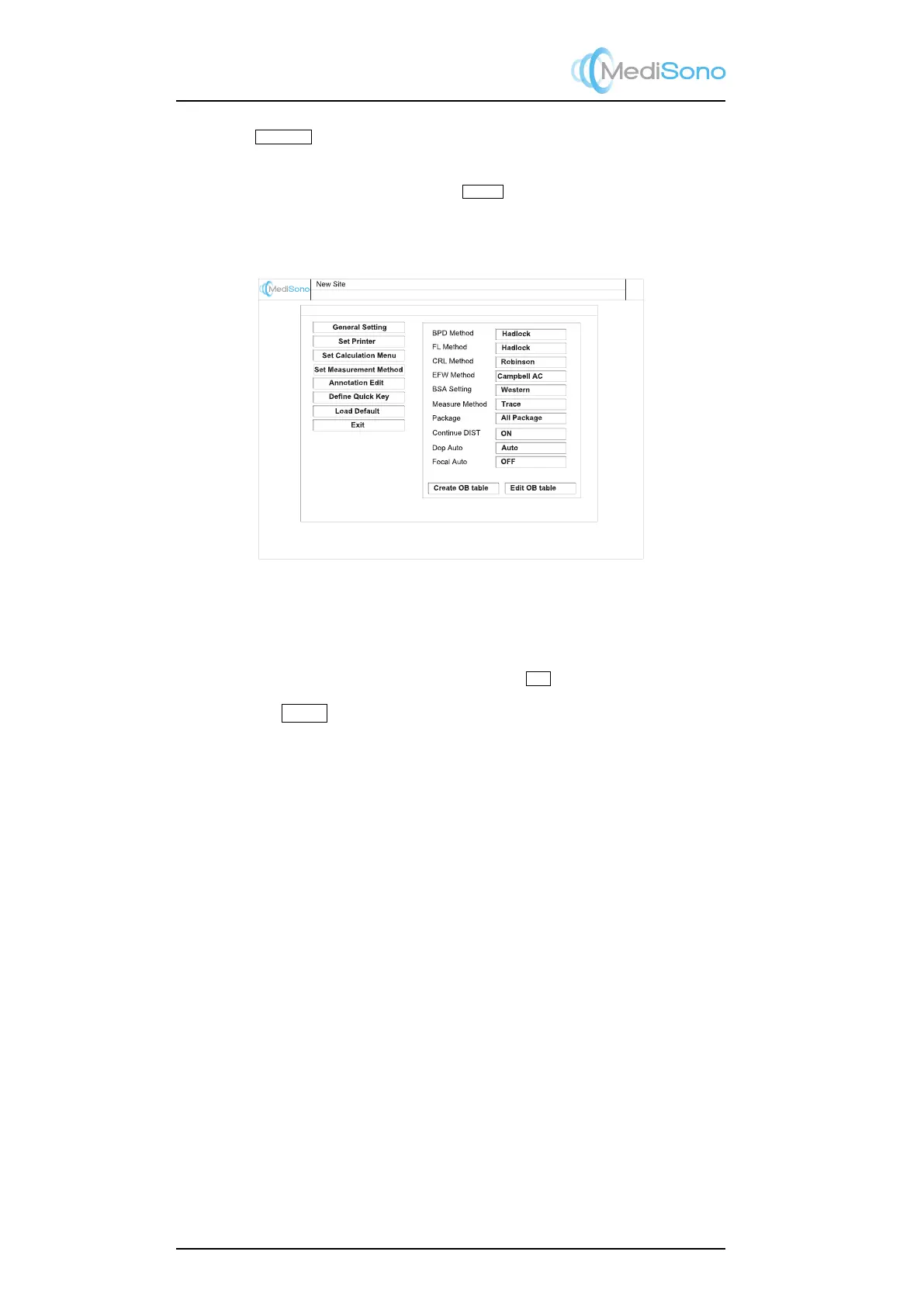
4.6.4 Set Measurement Method
Figure 4.10: Set measurement method
Click the Set Measurement Method tab to configure the measurement related settings.
Instructions:
• Move the cursor over the parameter box, and click
Set
.
•
Rotate the
Adjust
knob to change the parameter. Information about some items are
provided below.
4-8



 To Next Page