12
3. Power options for using the i700
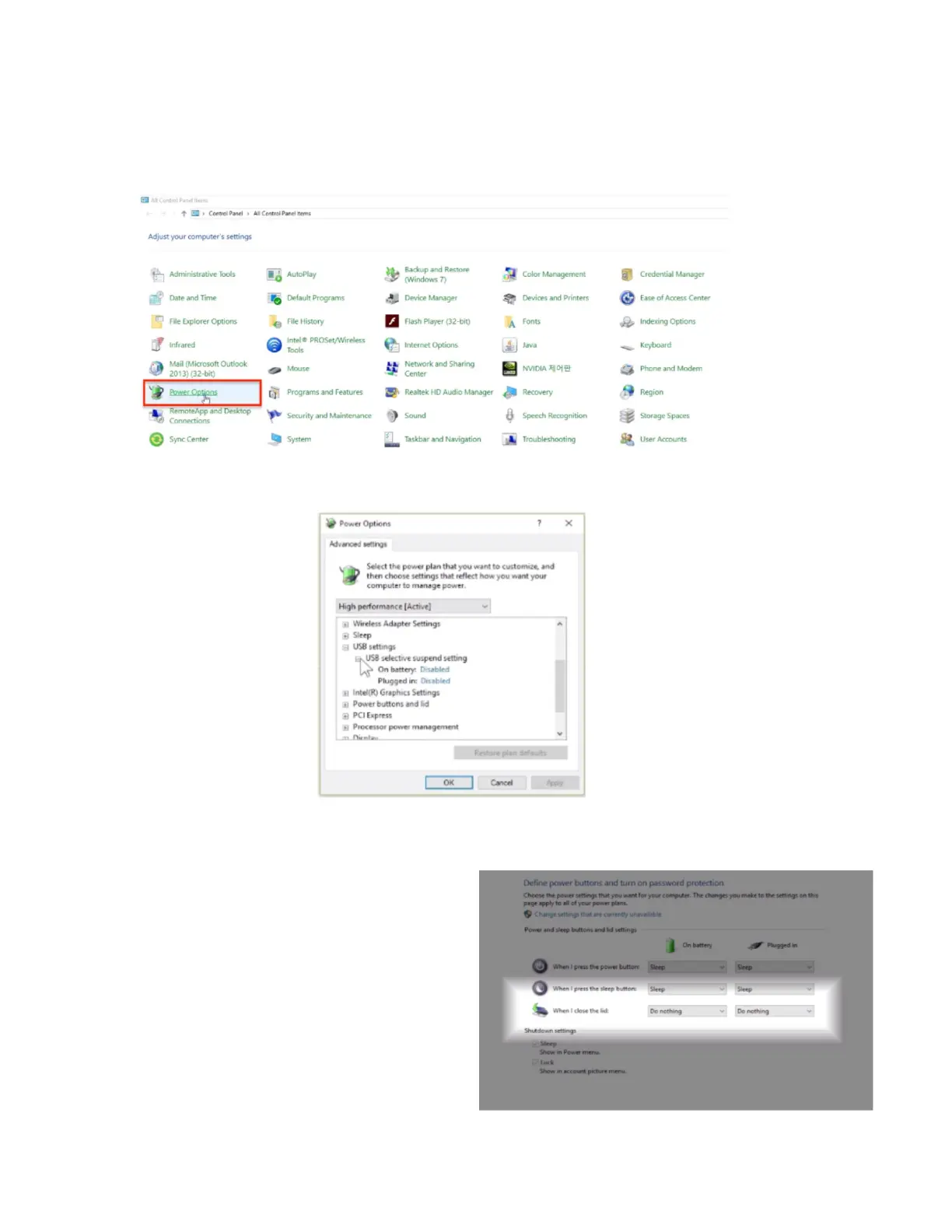
i) Go to Control Panel > All Control Panel Items > Power Options > Change advanced power
settings > USB settings
Disable USB selective suspend setting
ii) Go to Control Panel > All Control Panel Items > Power Options > System Settings
Select Do nothing when the lid is
closed for both options - On battery
and Plugged in.


 To Next Page