21
Medit i700
On the i700, the Remote Control mode is available while using Scan for Clinics. The Remote
Control mode allows you to control various commands such as:
Scan data view control such as pan, rotate, and zoom in/out/fit
Select scan stages, and move to the previous or next scan stage
Open settings and change the settings for scan, scanner, data, and control.
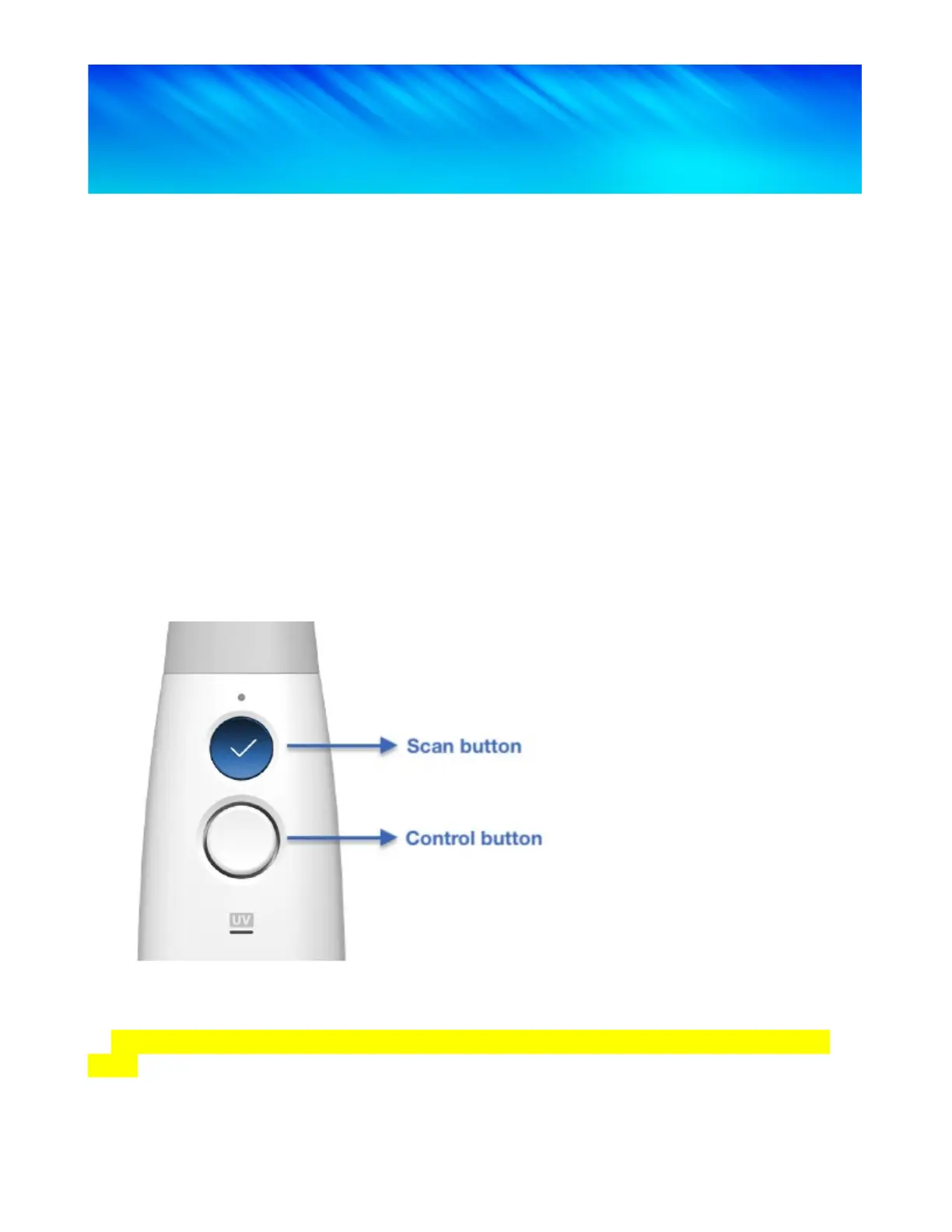
While scanning, the Control button is automatically disabled.
The Control button also acts as a 4-way directional pad: Up, Down, Left, Right.
Functions requiring mouse control such as trimming, tools, and calibration are not supported in
the Remote Control mode.
➤ Hold down the Control button for 3 seconds on the scanner to activate the Remote Control
mode.


 To Next Page