BP5BB5LR_UMEN_V05-20170703 5
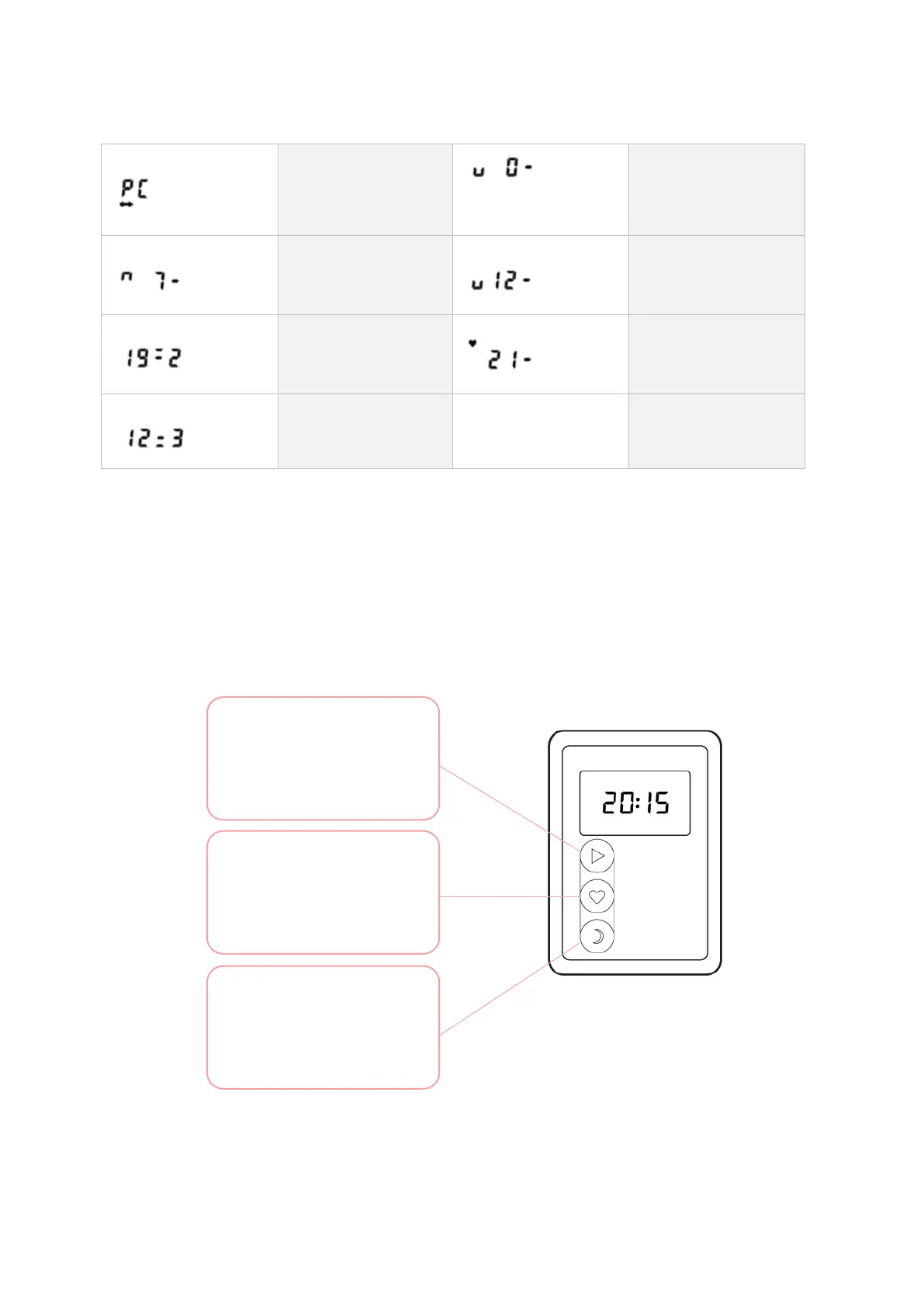
Information displayed on ABPM-05 only
Communication
with a personal
computer
Blood pressure
measurement
initiated (kPa)
Pumping for
measurement,
current pressure is
displayed (kPa)
Deflation during
measurement,
current pressure
displayed (kPa)
Systolic value of a
just completed
measurement (19,2
kPa)
Heart symbol
blinking:
measurement in
progress (kPa)
Diastolic value of a
just completed
measurement (kPa)
Buttons
The monitor has 3 buttons: start, event and day/night. Any blood pressure
measurement can be interrupted by pressing any button at any time while the cuff
is inflated. This will result in immediate fast cuff deflation.
- start a manual BP recording
- switch on/off
- LCD check
Event button
- set an event marker
- mark the time of
sleeping/awakening
- manual day/night shift


 To Next Page