Process of installation:
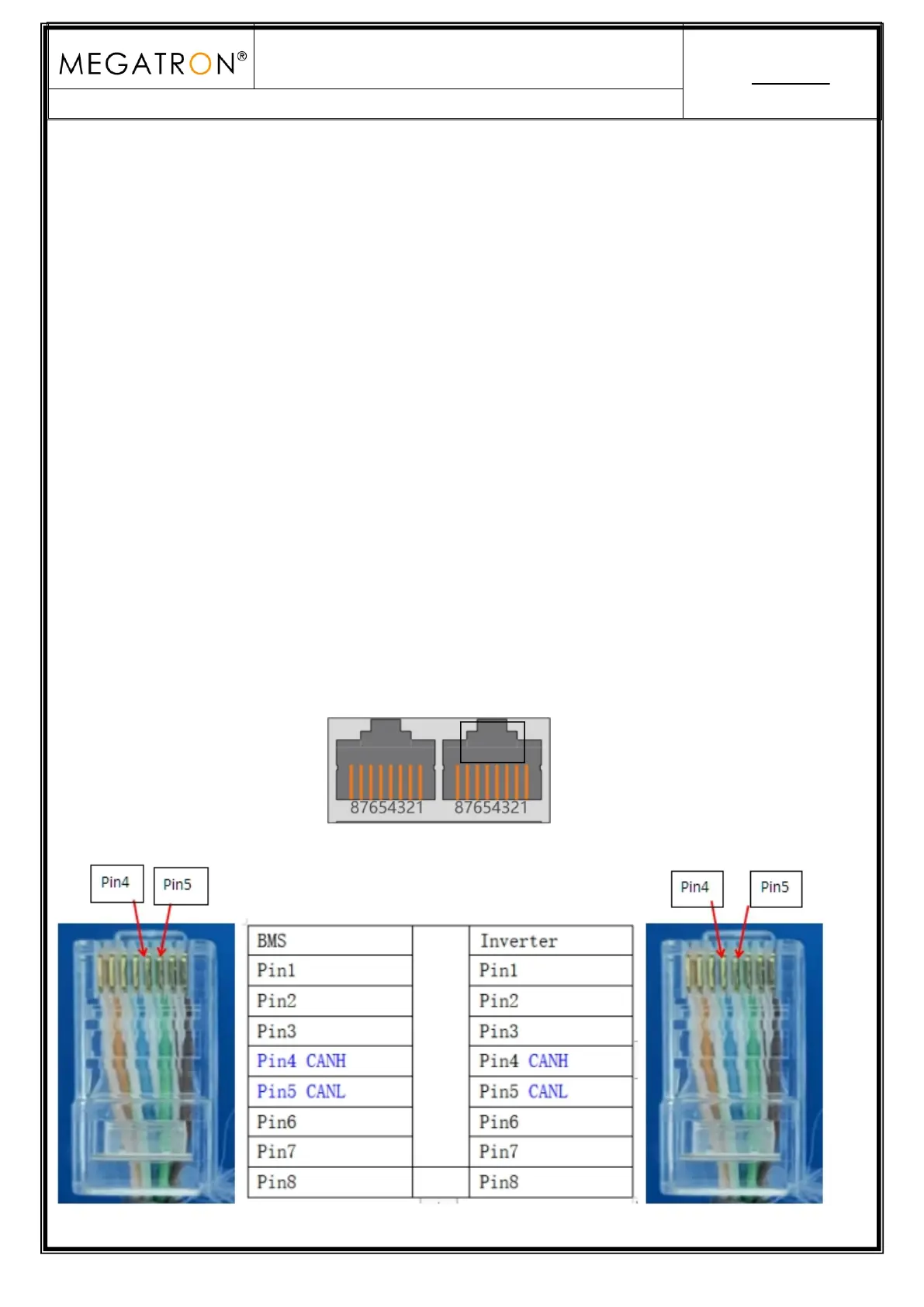
Step 1. Use the RS485 cable to connect inverter and lithium battery .
Step 2. Replace the battery BMS protocol to “CHY” by BMS tool and host computer.(Please refer to
page 4,point 4.2)
Step 3. Turn on the switch of battery , power output ready .
Step 4. Turn on the inverter (Warning: Turn on the battery first and then the inverter), and set
the program 05 as “LIB” on the LCD, then restart the inverter.
Step 5. Press the ESC button continuously 5 seconds and you can view the BMS communication
data.
6. LUXPOWER Inverter CAN Communication Setting (Default protocol)
Dual RJ45 Port(RS485 & CAN):


 To Next Page