16
SOURCE RESET:
This function button
turns all the outputs off and sets them to
zero
. This one button may be used as a
panic button
to shut down all voltage and
current outputs at one time. Note that the ( % ) or (00.0 V) settings under the measured
values are still set. Therefore, should the operator want to selectively turn on outputs at
their previous setting, then press the appropriate output button, i.e., INIT.
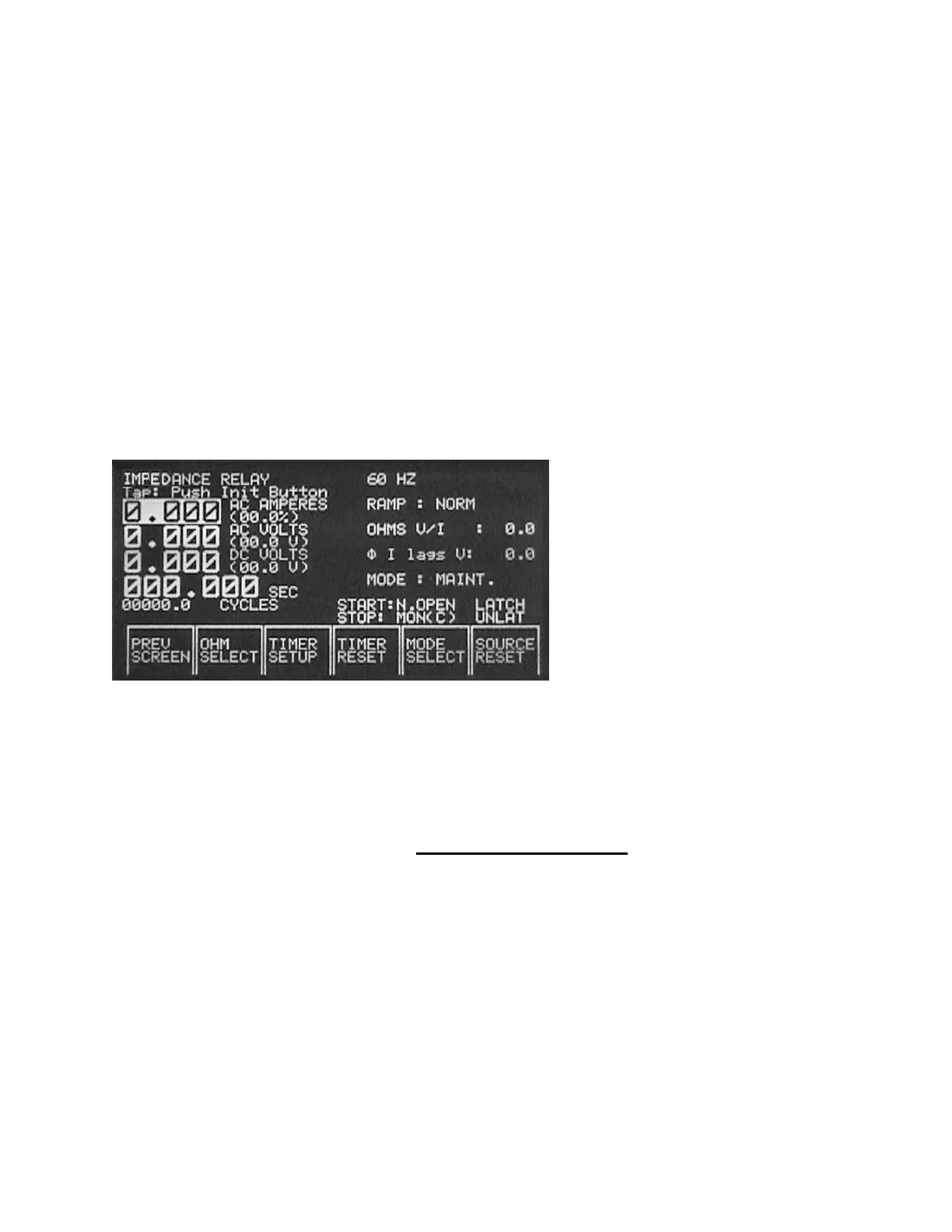
IMPEDANCE RELAY Test Screen:
The IMPEDANCE RELAY Test Screen is used to test all single-phase distance,
impedance, or three-phase impedance relays (where the voltages may be paralleled
and currents series). Many of the same measured values seen in the OVERCURRENT
RELAY Test Screen are in the IMPEDANCE RELAY Test Screen (see descriptions in
the OVERCURRENT RELAY Test Screen). The two primary differences are the
OHMS
and Phase Angle,
φ
I lags V
displays.
The
OHMS
displayed is the calculated value based on the displayed formula. The two
formulas available are
V/I
and
V/2I
. The formula is selected by pressing the
OHM
SELECT
function button. These two formulas cover virtually all single-phase
impedance relays, phase to ground and phase to phase tests. The Phase Angle,
φ
I
lags V
, display is the measured phase angle between the
AC CURRENT MAIN
output
and the
AC AUX
Output. It displays
Current lagging Voltage
, since most impedance
relay maximum angle of torque, or line settings, are set with current lagging voltage.








 To Next Page