71
Communications Port Settings
Baud Rate:
19,200
Data Bits:
8
Parity:
None
Stop Bits:
1
Flow Control:
None
The pin-out from the 9-pin connector is shown below. Note that data transmission is
unidirectional.
RS232 Connection Pin-Out
PIN NUMBER DESCRIPTION FUNCTION
2 TxD Transmit Data
3 RxD Receive Data
5 GND Signal Ground
7 CTS Send To Clear
8 RTS Request To Send
Other pins are not used.
SR-98 COMMAND SET
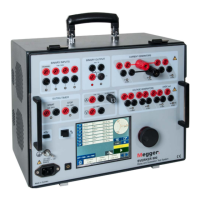
The SR-98 incorporates an RS232 Serial Data Communications Port for communicating
with a personal computer. This feature may be used to transmit data from the SR-98 to
the computer for data analysis and report generation.
The SR-98 can be programmed to change Menu Screens, Select a language, Setup the
timer or Specify a relay to test, and Query the test set for metered or calculated values.
See the following commands.
All commands must end with a semi-colon ;
Screen Command
Power Up
spu;
Test Menu
st;
About
sa;
Language Select
sls;
Select, Setup or Specify commands are used to select different options from each of the
menu screens. For example, the Language Selection Screen has the following
selections; English, French, Spanish, German, Portuguese and Japanese. The
operator should be able to select any one of the selectable languages. The following
commands apply.








 To Next Page