www.megger.com
23
Colour Schemes
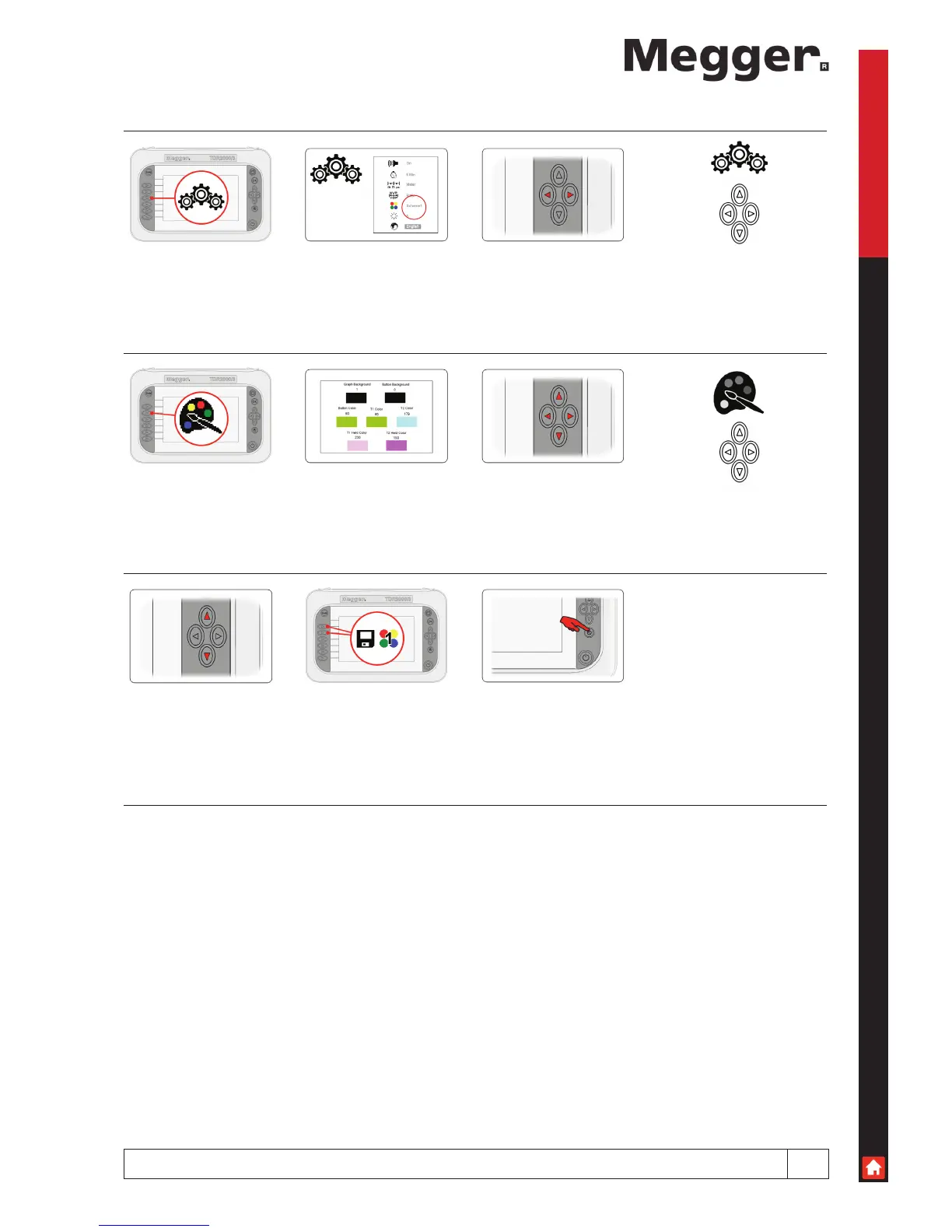
Colour schemes
Press the preferences
icon to access the system
preferences screen
There are a number of
colour schemes available
as standard, plus additional
custom schemes where you
can set your own
Use the left and right
navigation buttons to change
the current scheme
You can use the current
scheme as a basis for a
custom scheme by pressing
the custom scheme pallet
icon
From here you can change
any of seven elements that
make up all screens
Use the left and right
navigation buttons to choose
an element
Use the up and down
navigation buttons to change
the colour for the chosen
element
Once finished setting your
colours, press either the
custom 1 or custom 2 icons
to save that scheme. The
scheme currently stored
in that custom slot will be
overwritten.
After saving your custom
scheme, press the back
button to return to the main
screen



 To Next Page