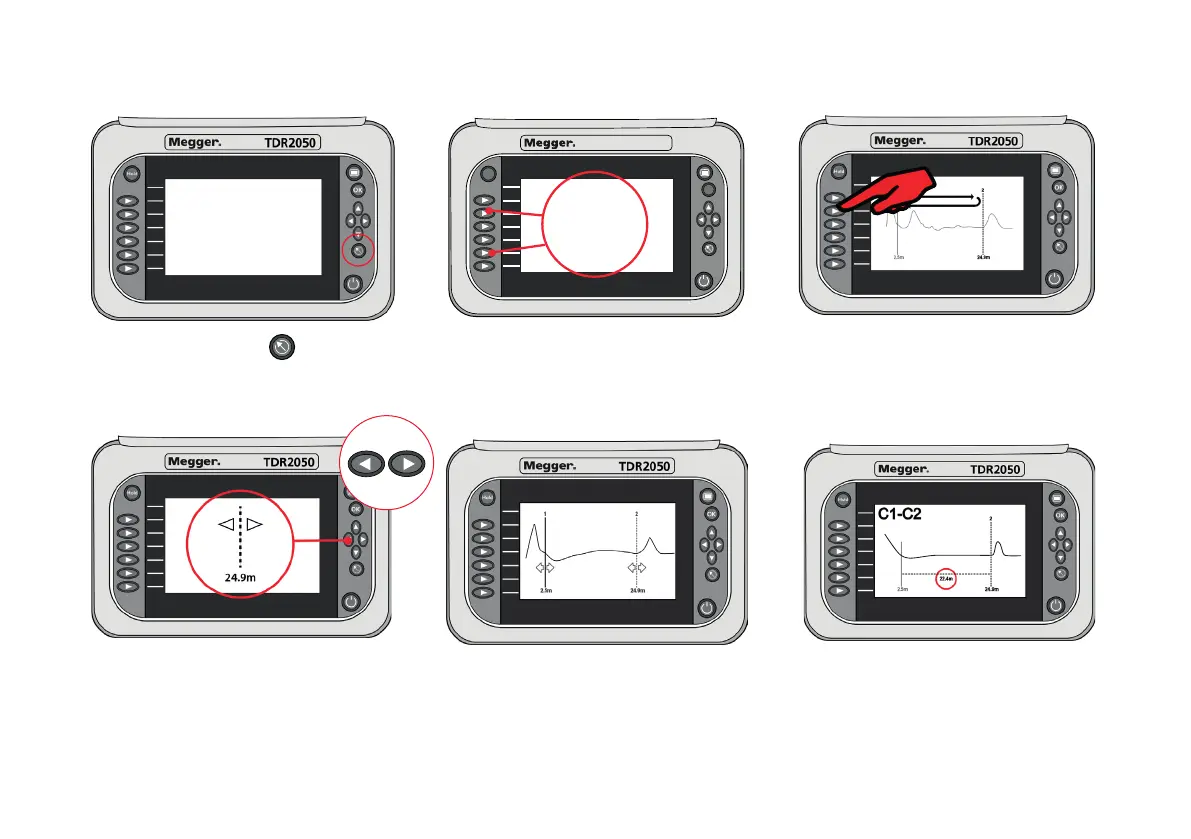
5. MOVING CURSOR
Hold
TDR2050
OK
C1-C2
To select cursors press a. Cursor choice. b. Swap between cursors. Press C1 - C2
buttons to select cursor to move.
c. Use left/right arrows to move d. Cursor position on trace. Move cursor e. Delta measurement. TDR shows total
selected cursor. C1 to end of test leads about 1.5 m. distance to cursor C2 and difference
Move C2 to the end of the cable between C1 and C2.
(first significant reflection)



 To Next Page