5.20 Auto OLTC Test in
Progress
5.20.1 Auto OLTC Header
5.20.2 Auto OLTC Footer
If the OLTC is set to Auto, the TTRU3 will
1. Execute a test on the first tap
2. Change the tap
3. Execute a test on the next tap
This process is repeated until
• The last tap is tested
• % error limit exceeded
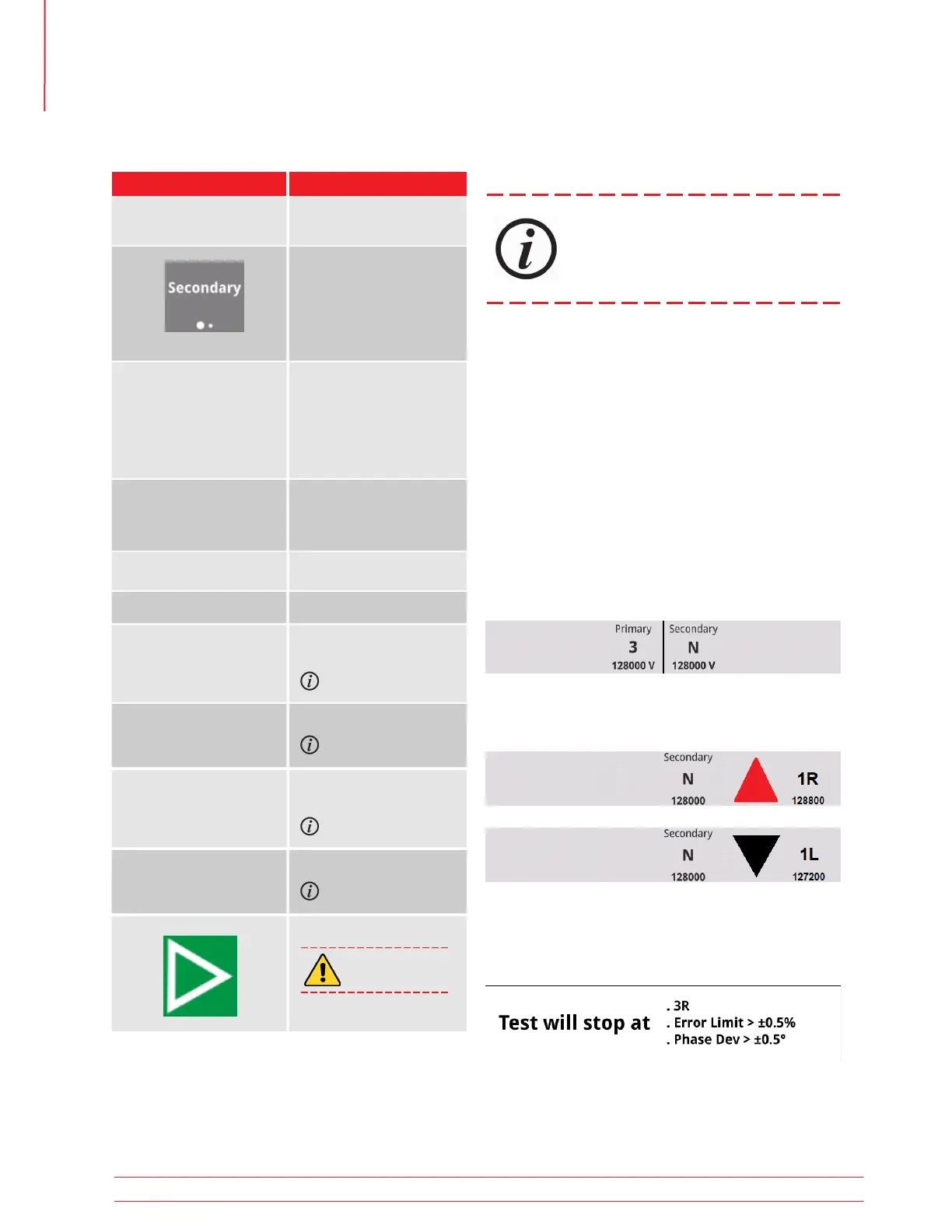
When measurements are being made, the taps under
test will display in the header:
The bottom of the screen will display the test stop-
page criteria
When the tap is being changed, the current tap, tap
change direction, and next tap will be displayed from
left to right in the header:
Optional SW Feature
5.19.15 Test Setup Buttons
Option Available Settings
See vector select in
Settings
See Quick Test setup
Manual
Auto
See OLTC settings
Optional SW Feature
Optional SW Feature
Optional SW Feature
Optional SW Feature
Primary/Secondary/
Tertiary Vector
Mode
OLTC
Wait
Tap
Tap Voltage
Test V
Pulse
Error Limited OLTC
Secondary
Tertiary
Only available if tertiary
added on Nameplate
screen
Determined by Nameplate/
Taps screens
Select to overwrite voltage
See Quick Test setup
See OLTC settings
On, off
List of taps determined by
Nameplate/Taps screens
Initially blank - user must
select taps to test
Test Output Voltage
Starts test
1
1
If no Test ID was entered, a prompt will appear asking if the default Test ID
is acceptable.
If no taps were selected, a prompt will appear asking for taps to
be selected.
Operation
40 TTRU3 User Manual us.megger.com



 To Next Page