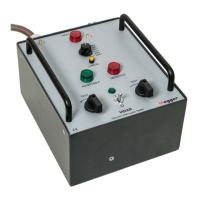
BR0150GE ZP-BR01E VIDAR
11
4 OPERATING INSTRUCTIONS
5] When the test is completed turn the power
ON/OFF switch on the VIDAR to its OFF posi-
tion.
Note The yellow indicator lamp lights if the test
lasts longer than 1 minute.
If you want to conduct a full time 1 minute
test after that, there must be a 2 minutes
pause before starting next test. (This pause
permits proper resetting of VIDAR’s internal
timercounter.)
Disconnection after testing
1] Check that the power ON/OFF switch is at the
OFF position.
2] Remove the ground connection (black cable
terminal) and connect it to the metallic part
of the highvoltage cable (red cable terminal)
before removing it from the circuit breaker.
3] Remove the protective earth (ground) cable
from station earth (ground).
Note Electrostatic charges can build up on:
a) adjacent insulated parts
b) the metallic centre-section of the breaking
chamber
c) the entre centre part of dual breaking
chambers due to the fact that the VIDAR uses
DC.
When a ground connection is established,
it takes (depending on surface conditions)
about 10 seconds for statically charged parts
to assume ground potential. As a rule these
electrostatic charges do not entail any serious
risk.


 To Next Page