Page 3 of 10
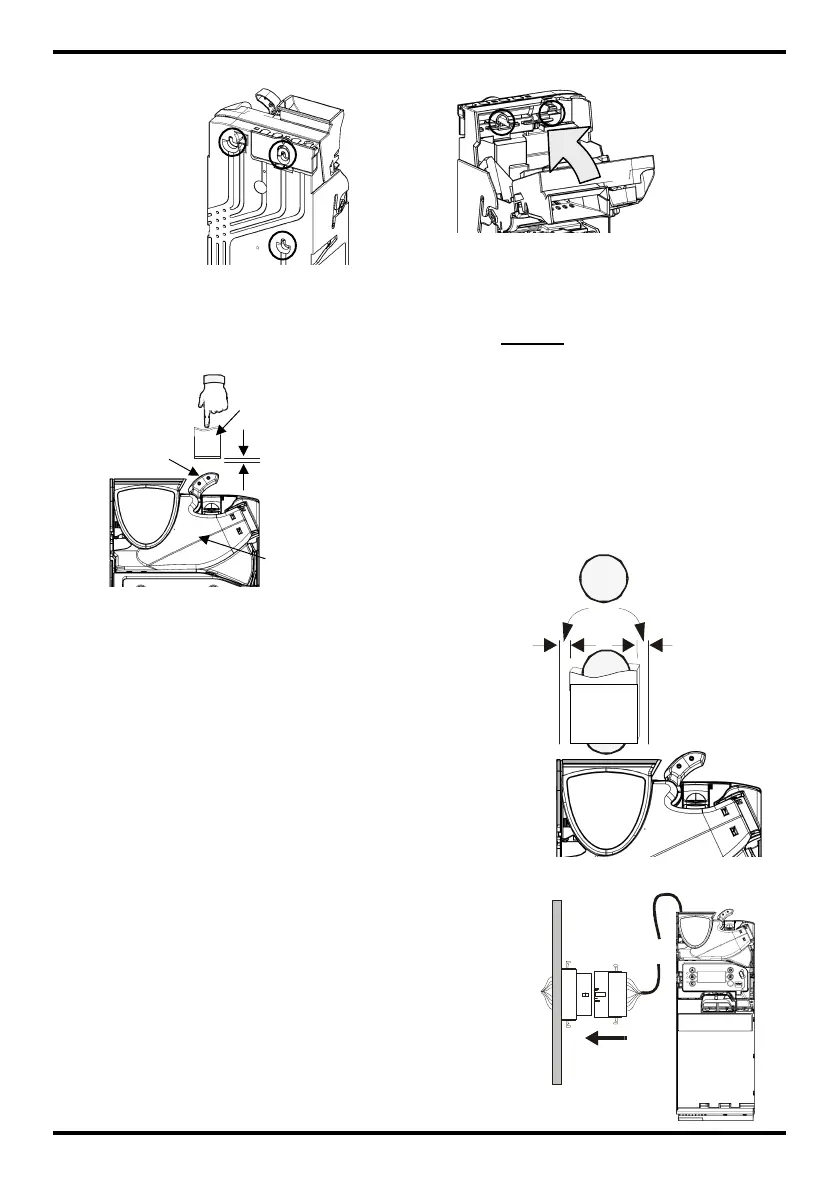
♦ Tighten all three studs and return the discriminator back to its normal position.
Alignment Checks
Once the CF7000 has been securely fitted to the vending machine, check reject
lever operation and coin chute alignment. Do this without any power applied to
the machine.
Cable Connection
The CF7000 may be fitted with more than one cable,
these may be intended for TX-RX communications,
drive an external display or to extract audit data.
Once all relevant cables are connected and before
closing the machine door, tuck any unused cables
away tidily ensuring that none are trapped between
the reject lever mechanism and the vending
machine door. You can now switch ON the power to
the vending machine.
Reject
Button
Check there is a minimum 4mm gap between
the machines reject lever mechanism and the
CF7000 reject button.
Press the machine lever a couple of times and
ensure the lid of the discriminator opens and
closes correctly.
Check machine coin chute alignment by inserting
two of each coin denomination through the coin
entry slot of the machine.
Ensure that the inserted coins fall freely into the
CF7000 and exit out into the machines cash
return cup.



 To Next Page