Page 6 of 10
Service Mode Options (Quick Menu Codes)
This list shows the most commonly used service modes.
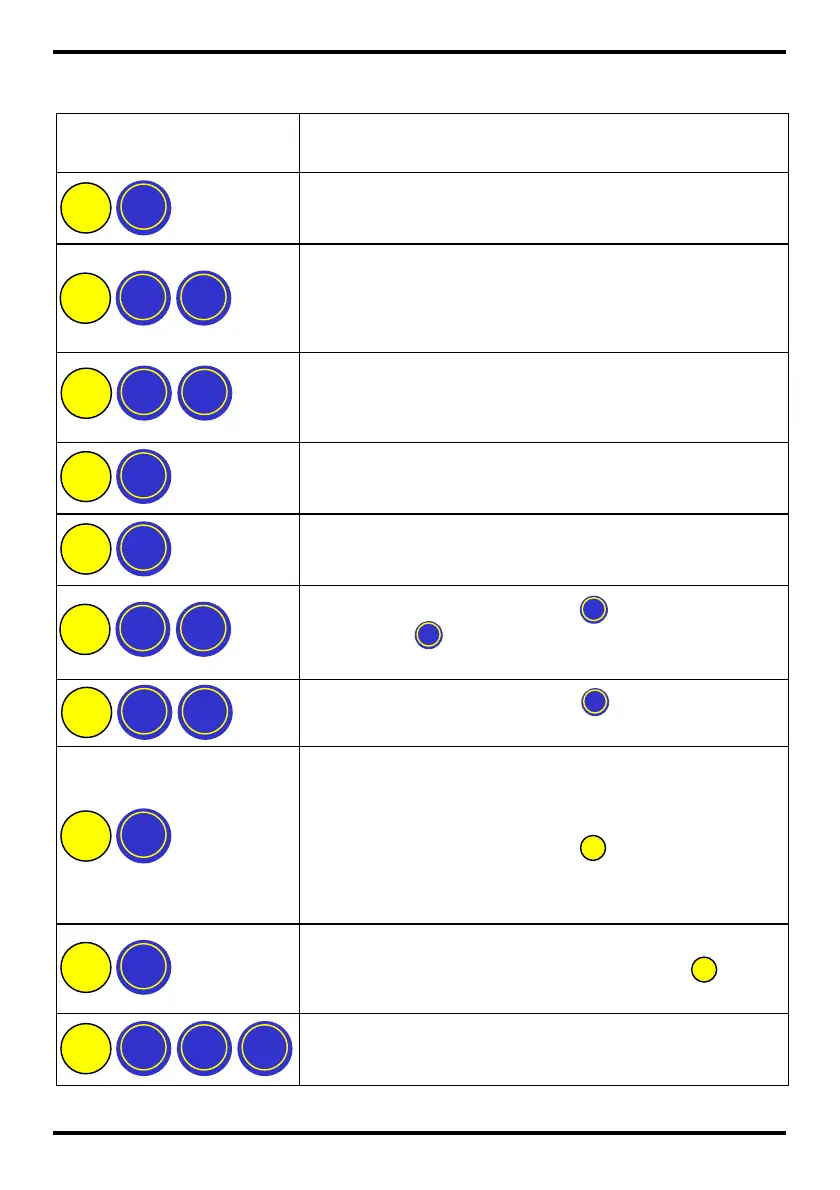
Press Following
Button Sequence
Description /
Action
Float coin tubes / (Insert coins then press ‘Mode’
button)
Clear accumulated credit – (Not MDB) and clear
‘Clean Me’ message.
[‘Clean Me’ message not shown on CF7400]
Float Teach sets float levels to current coin tube
levels.
[Not available in Auto Float mode]
Inhibit a coin / (Insert a coin and then press the reject
lever)
Enable a coin / (Insert a coin and then press ‘Mode’
button)
View coin details / (press to scroll up)
(press to scroll down)
View channel set / (press to exit view)
Teach vend price / (Insert coins to the value of
the price and then press the price line button on
the machine to set it)
(When finished press the button)
[This feature is only available on Executive products]
Custom tube cassette teach /
(Enter coin, select position then press )
Select predefined tube cassette / (enter code on
cassette label & press ‘Mode’ button)
Features only available on CF7900
D ? ?
D
C
B B
B A
B
B
A D
A A
A



 To Next Page