4. Technician Settings
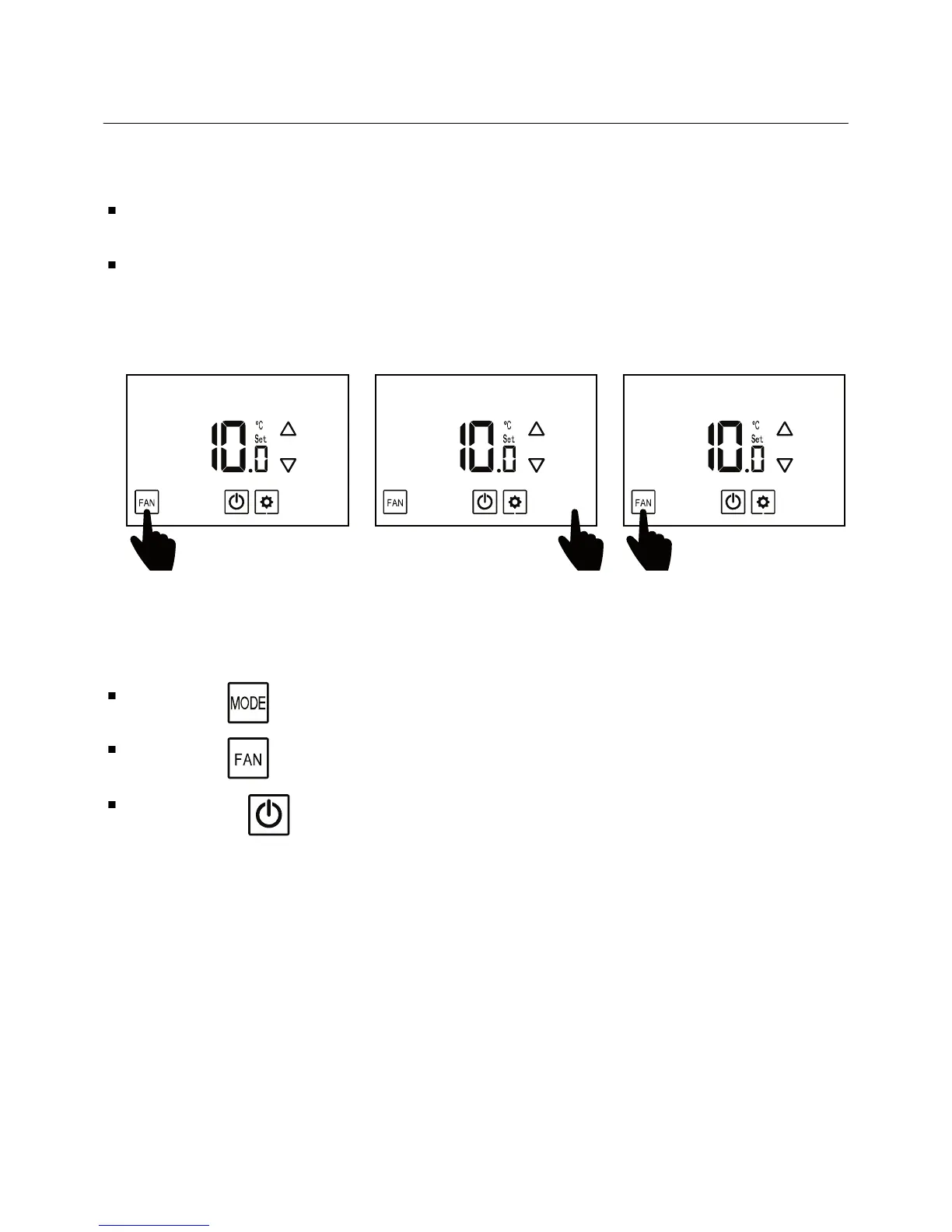
Enter technician settings
-20 -
Adjust the set-point temperature to 10ºC.
To enter technician settings, press the display three times within
5 seconds as shown below:
Use the button to advance to the next parameter.
Use the button to return to return to the previous parameter.
Press the button or wait 60 seconds to exit technician settings
and return to normal display.
123





 To Next Page