MEITRACK P88L GPS Personal Tracker User Guide
Copyright © 2020 Meitrack Group All rights reserved. - 17 -
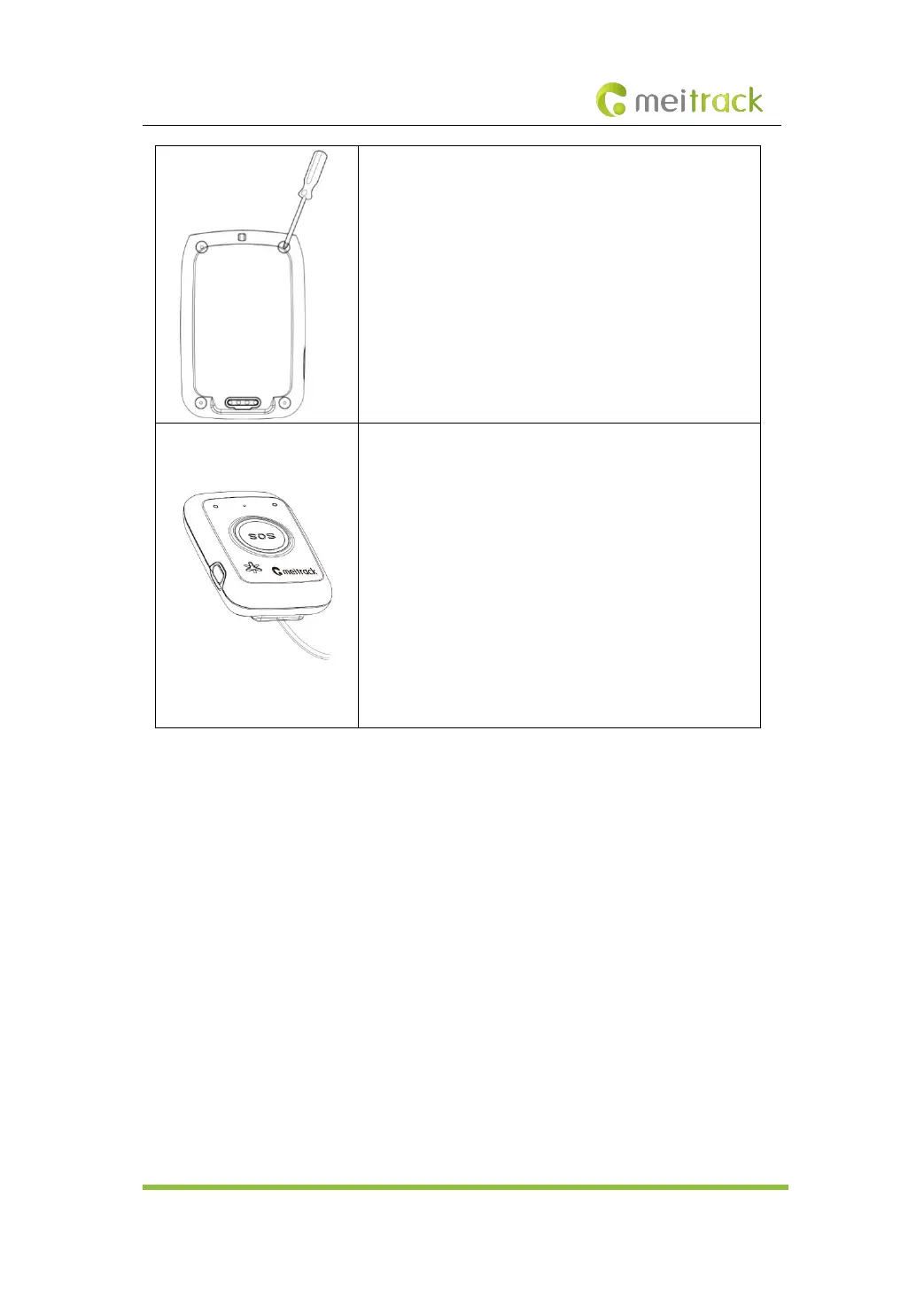
3. Install the battery cover.
Put the battery cover back, fasten the four screws on the
battery cover, and install water resistant rubber stoppers.
4. Charge the battery by magnetic USB cable.
To charge the battery, connect the device to the wall charger
or a computer through the magnetic USB cable. When you
use the device for the first time, you are advised to turn off
the device and then charge the battery for one hour.
Note: Do not remove the battery unless necessary during
charging. While charging, the device may heat up. This
phenomenon is normal and does not affect the device’s
lifespan or performance. If the battery power is low, it may
affect positioning and data transmission. So you need to
charge the battery before using.
After the Nano SIM card and battery are installed properly and the battery is charged, users can
turn on the device by pressing the auxiliary button on the left side of the device and start to use
it.
Please read the following instructions to know more about its functions.
7 Device Configuration
This chapter describes how to use Meitrack Manager to configure device parameters. For details
about Meitrack Manager, see the MEITRACK Manager User Guide.
7.1 Configuring Device Parameters on Your PC
Before using Meitrack Manager, install the USB driver and Meitrack Manager. (If the operating
system of the PC is Windows 10, maybe the USB driver already exists.)
Connect the device to the PC by using the USB cable.



 To Next Page