MEITRACK P88L GPS Personal Tracker User Guide
Copyright © 2020 Meitrack Group All rights reserved. - 8 -
three seconds, it will send a voice warning (or vibrate and make sounds). In this way, users
can press any button of the device to clear the man down alert as required. If no button is
pressed after the vibration and sounds stop, a man down alert will be generated. (The voice
broadcasting function is enabled by default, so the device will not vibrate and make sounds.)
2. For details about the A29 command, see the MEITRACK SMS Protocol.
3.3.2 Data Usage Saving
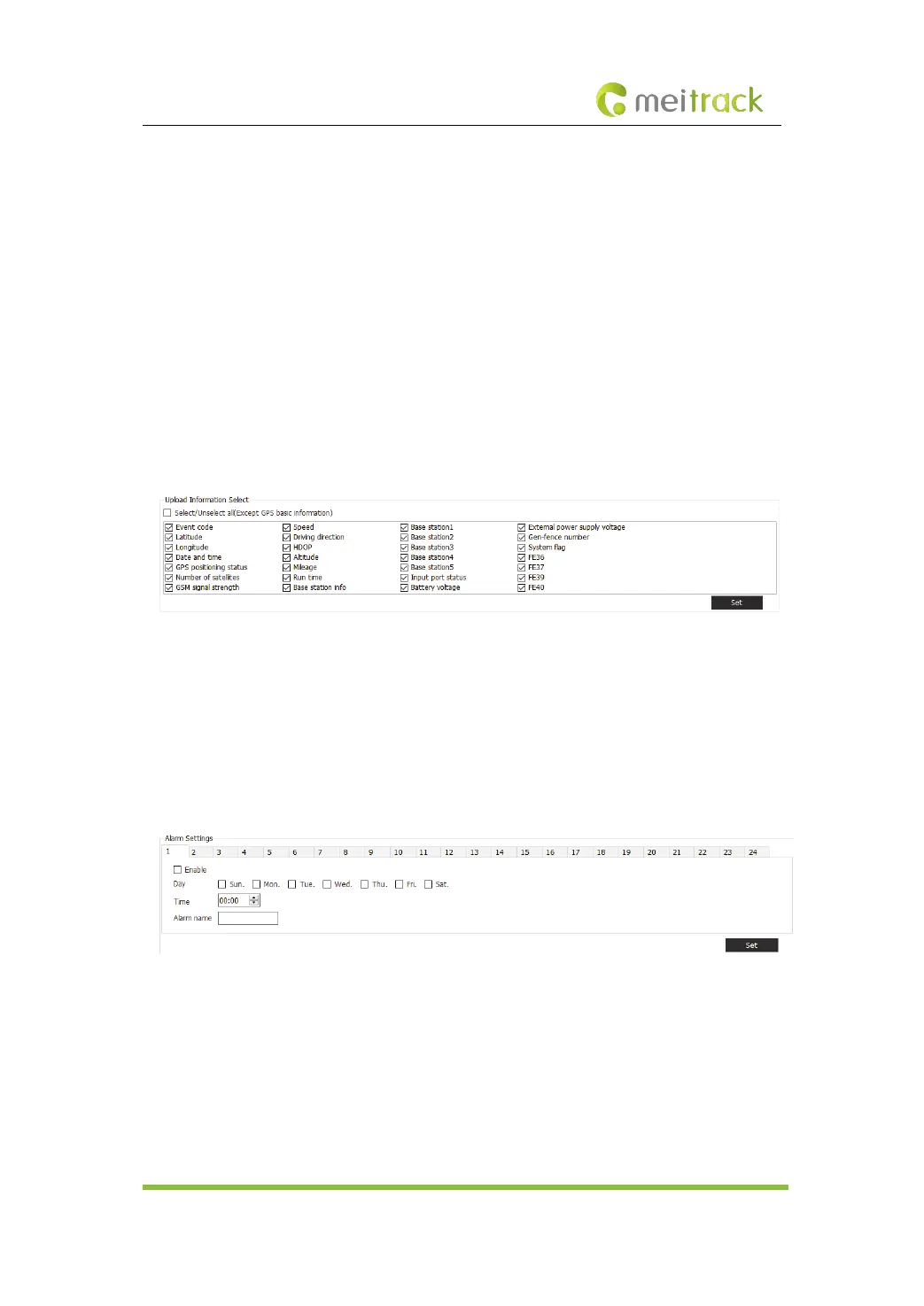
With the function, users can select data to be uploaded. If the uploaded data occupies too much
data usage, users can set data uploading on Meitrack Manager to save data usage. For example,
if users want to upload the time, latitude, and longitude only, choose the Tracking tab page,
select the data to be uploaded, and click Set. This operation can save more than 80% of data
usage.
3.3.3 Alarm Clock
Users are allowed to set at most 24 alarm clocks on Meitrack Manager. For example, set an alarm
clock for 7:30 am from Monday to Friday. At the preset time point, the device will make sounds
and vibrate, and an alarm clock alert will be sent to the server. During the ringing period, users
can press any button of the device to stop ringing.
3.3.4 Sound and Vibration Settings
In some specific environments, if users hope that the device vibrates and does not make sounds
when an alert is sent, or the device uploads an alert to the platform without vibration and sounds,
set the sound and vibration for alerts on Meitrack Manager. For example, if users hope that the
device vibrates and does not make sounds when an SOS button is pressed, click sos_key, and



 To Next Page