MEITRACK P88L GPS Personal Tracker User Guide
Copyright © 2020 Meitrack Group All rights reserved. - 7 -
SMS Sending 0000,A29,Switch,Time,Grade
SMS Reply IMEI,A29,OK
Description Switch: Whether to enable the man down alert detection
function. The parameter value is 0 or 1. When the parameter
value is 1, the man down alert detection function is enabled.
When the parameter value is 0, the man down alert detection
function is disabled. The default parameter value is 0.
Time: Indicates the buzzing and vibration time after the device
falls to the ground. During this period, users can press any
button of the device to clear the alert, so as to avoid
misinformation. If no button is pressed during this period, a man
down alert will be generated or the tracker will call the
designated contact. Unit: second; value range: 0–255; default
value: 10.
Grade: Indicates the man down alert level. The parameter value
ranges from 0 to 3 and it is in decimal format. The default
parameter value is 1. The smaller the value is, the higher the
alert probability is.
Applicable Model MT90/MT90G/P99G/P88L
Example
SMS Sending 0000,A29,1,10,1
SMS Reply 353358017784062,A29,OK
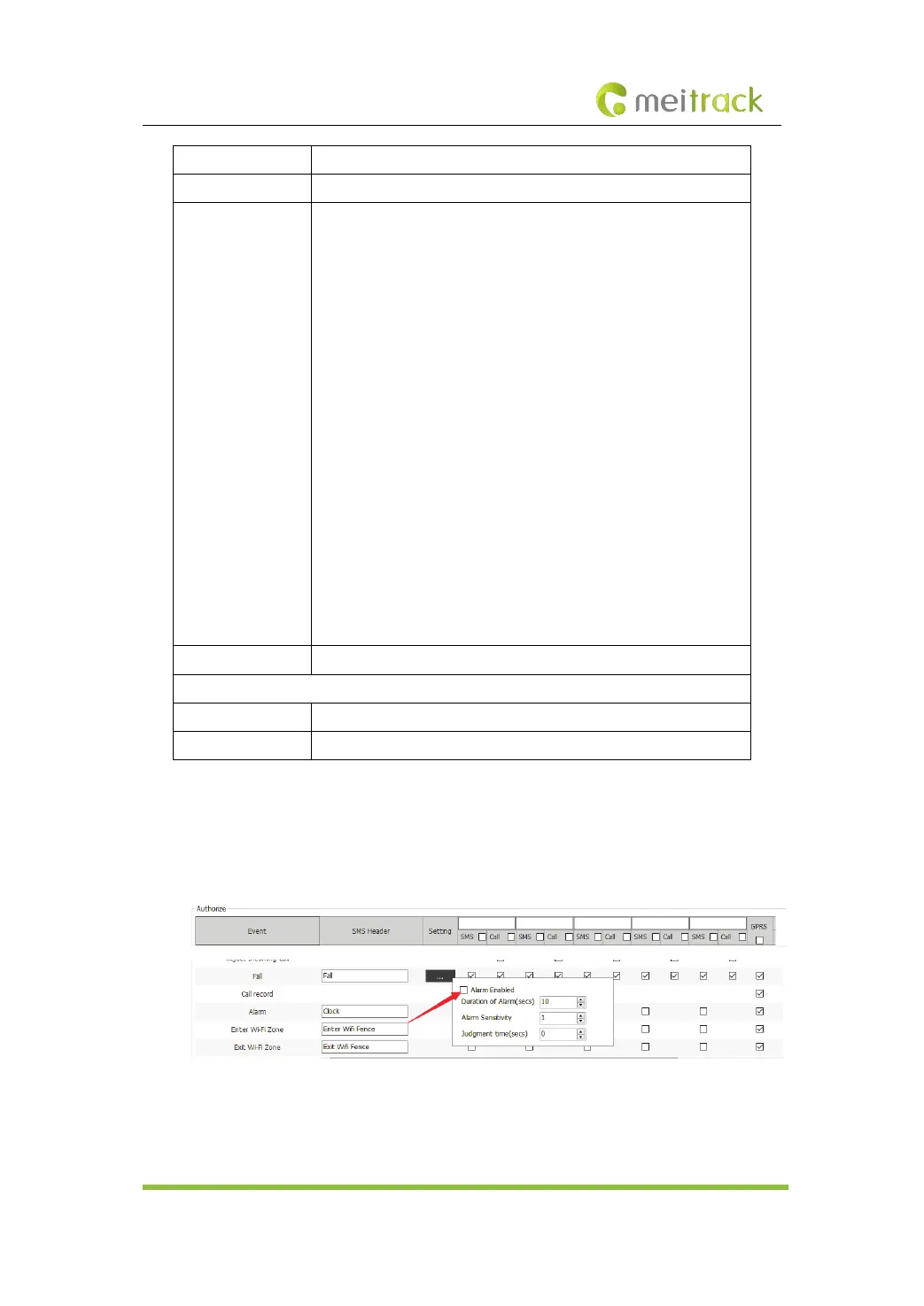
2. On the Meitrack Manager interface, select Fall, set a contact's phone number to receive
SMS messages and answer phone calls in case of emergency, enable the alert function, and
set the alert buzzing time, alert detection sensitivity and motion judgement time after the
alert is generated. You are advised to set the three parameters to 10, 1, and 0 respectively.
Note:
1. To avoid misinformation, the device will detect the effectiveness of man down alerts. After
the device falls to the ground, if it detects any angle changes and no motion for more than



 To Next Page