7 SOS Button In the case of emergency, press and hold the button for two seconds, and the
device will beep to alert users.
Meanwhile, device will dial 3 authorization phone numbers in turn until one of
them pick up the phone. In addition, SMS will be sent to the authorized number.
GPRS will be sent to the platform when the GPRS is available.
In sleep mode, use a short press to wake up the device.
8 Microphone The microphone is automatically turned on when listen-in function is activated.
10 OBDII Plug Insert the OBD II connector, powered by vehicle’s battery.
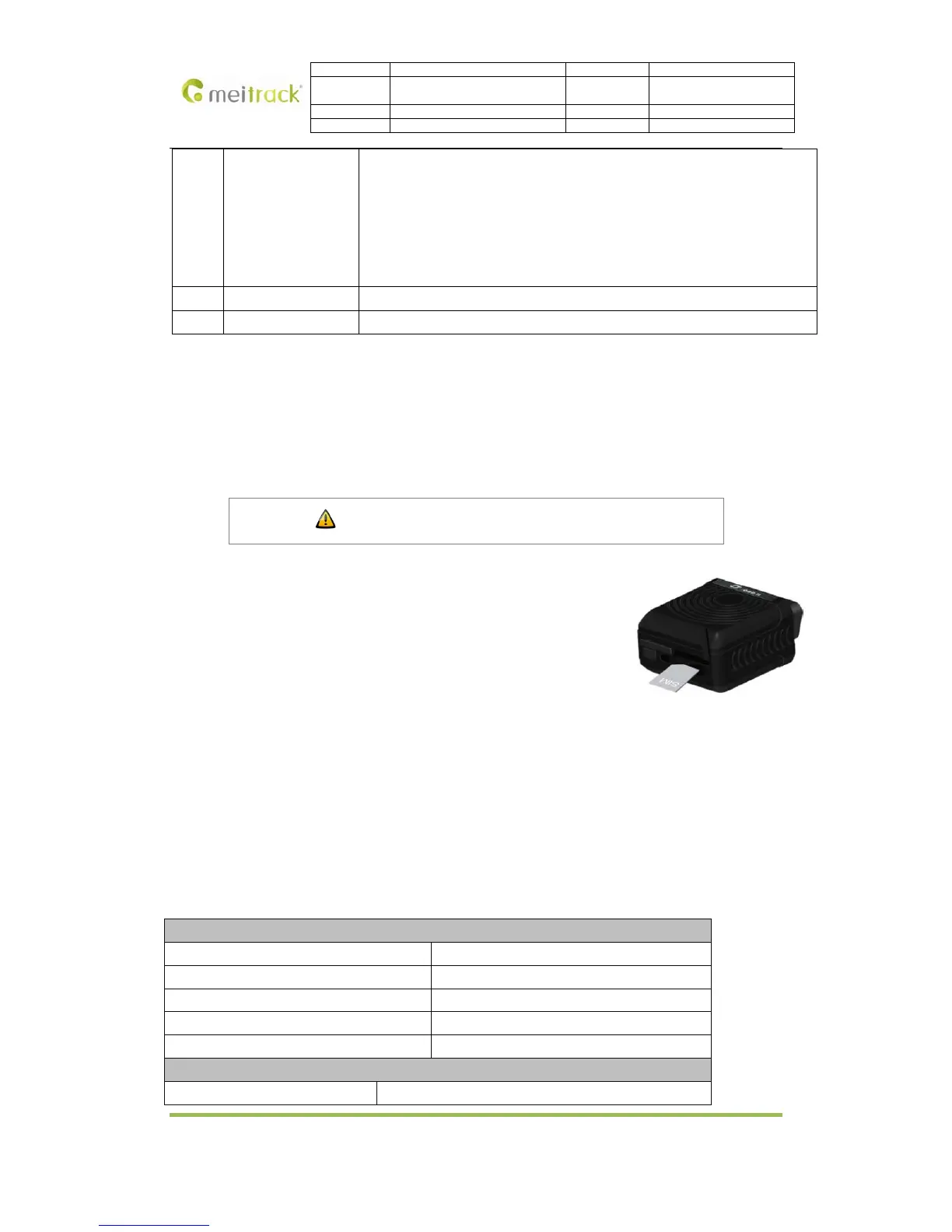
Remove the cover of SIM card and insert SIM card as picture (chip down), then
refit the cover.
Notice:
� Make sure there is enough charge (test it by SMS and Call after the SIM card
inserted );
� Make sure turn off the PIN function of the SIM card ;
� Make sure you have set Caller Identification function if you want so.
Insert SIM Card
4.2 Charge the Battery
Please charge TC68S for at least 3 hours by the USB cable while the first using. To shorten the charging time,
please turn off TC68S while charging.
4.3 LED Indicators
Press and hold the Power On/Off button for 3~5 seconds to turn on/off TC68S. Once insert TC68S into OBD II
connector in the vehicle, the buzzer will alarm BI.
GPS LED (Blue)
Status Description
On Button pressed or input triggered
Fast Flashing (every 0.1 sec) Initialization or low battery
Fast Flashing (0.1 sec on, 2.9 sec off) GPS fixed
Slow Flashing (1 sec on per 2 secs ) No GPS fixed
GSM LED (Green)
Status Description
Copyright © 2014 Meitrack Group All rights reserved. -7-



 To Next Page