On A call is coming in or busy
Fast Flashing (every 0.1 sec) Initialization
Fast Flashing (0.1 sec on, 2.9 sec off) GSM fixed
Slow Flashing (1 sec on per 2 secs) No GSM fixed
Notice: GSM and GPS LED indicators off in sleep mode.
4.4 GPS Tracking
This location-tracking test will ensure TC68S operates correctly and reports its real time position.
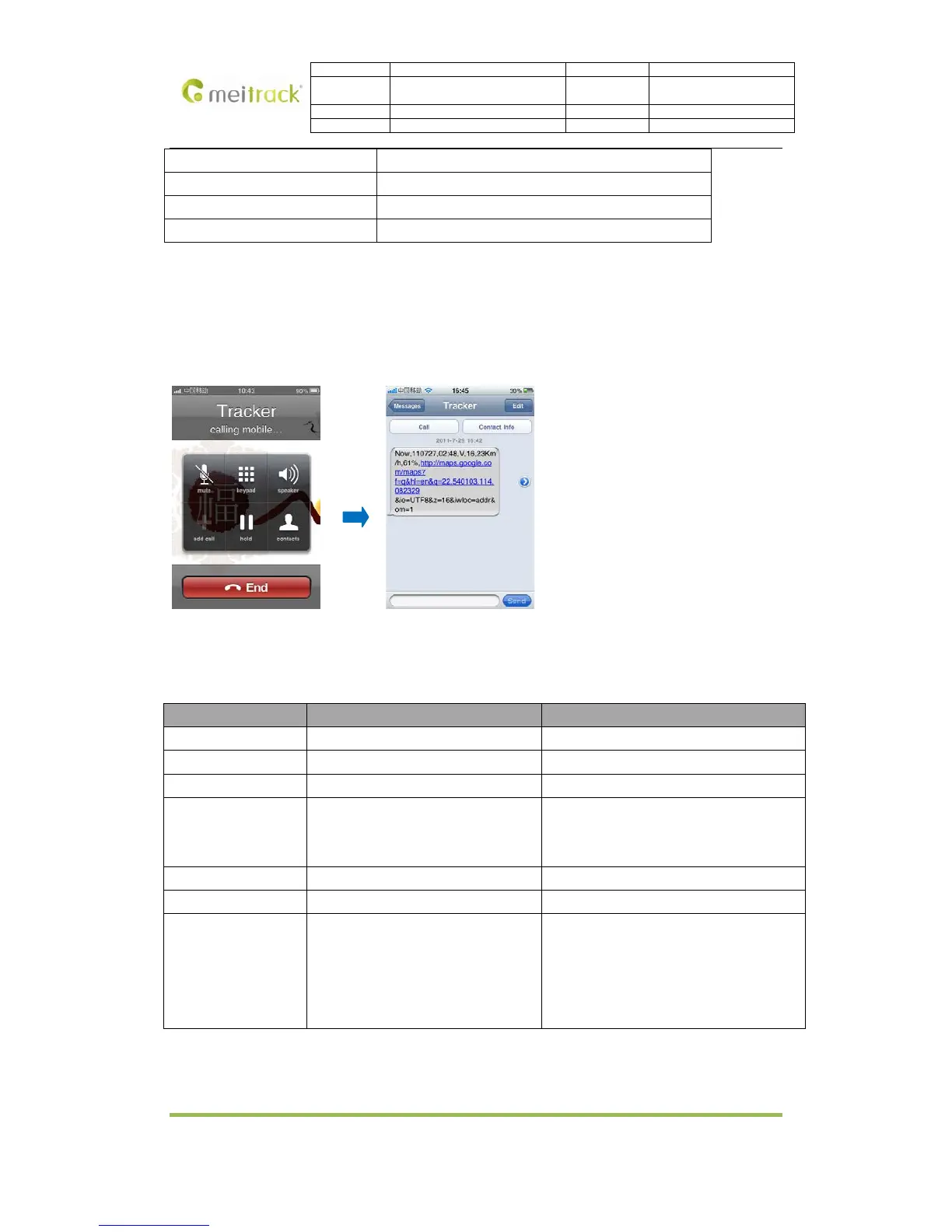
Call the SIM card number embedded in TC68S, hang up till the dial sound 2-3 times, as follows:
Report description:
Now,110727 02:48,V,16,23Km/h,61%,http://maps.google.com/maps?f=q&hl=en&q=22.540103,114.082329
&ie=UTF8&z=16&iwloc=addr&om=1
Content Description Note
Now Current Location Alarm Type
110721 16:40 Date & Time: 21 July, 2011, 16:40pm Date & Time in YYMMDD HH:MM
V No GPS fixed GPS Status: A = valid, V = invalid
10 GSM signal=10 GSM Signal (1-32).
Signal is stronger while the value is larger.
Above 12, GPRS achieve normal level.
0Km/h Speed=0 KM/h. Decimal digit
97% Battery Power: 97% Battery Power Balance (Percentage)
http://maps.google.co
m/maps?f=q&hl=en&q
=22.540103,114.08232
9&ie=UTF8&z=16&iwlo
c=addr&om=1
Latitude: 22.540103
Longitude: 114.082329
Google Maps Web Link with Latitude and
location.
If your mobile cannot visit HTTP websites, input the latitude and longitude into Google Maps (maps.google.com)
as the following picture shows to get the position:
Copyright © 2014 Meitrack Group All rights reserved. -8-



 To Next Page