10 Settings
45
Log output in English
If you want to print all text logs on the MELAprint log printer in English, proceed as follows:
ü
The text log is to be printed in English, regardless of the language of the display.
ü
You are in the menuSettings →Logging.
1. Press repeatedly on CONTINUE until you reach the
log output menu.
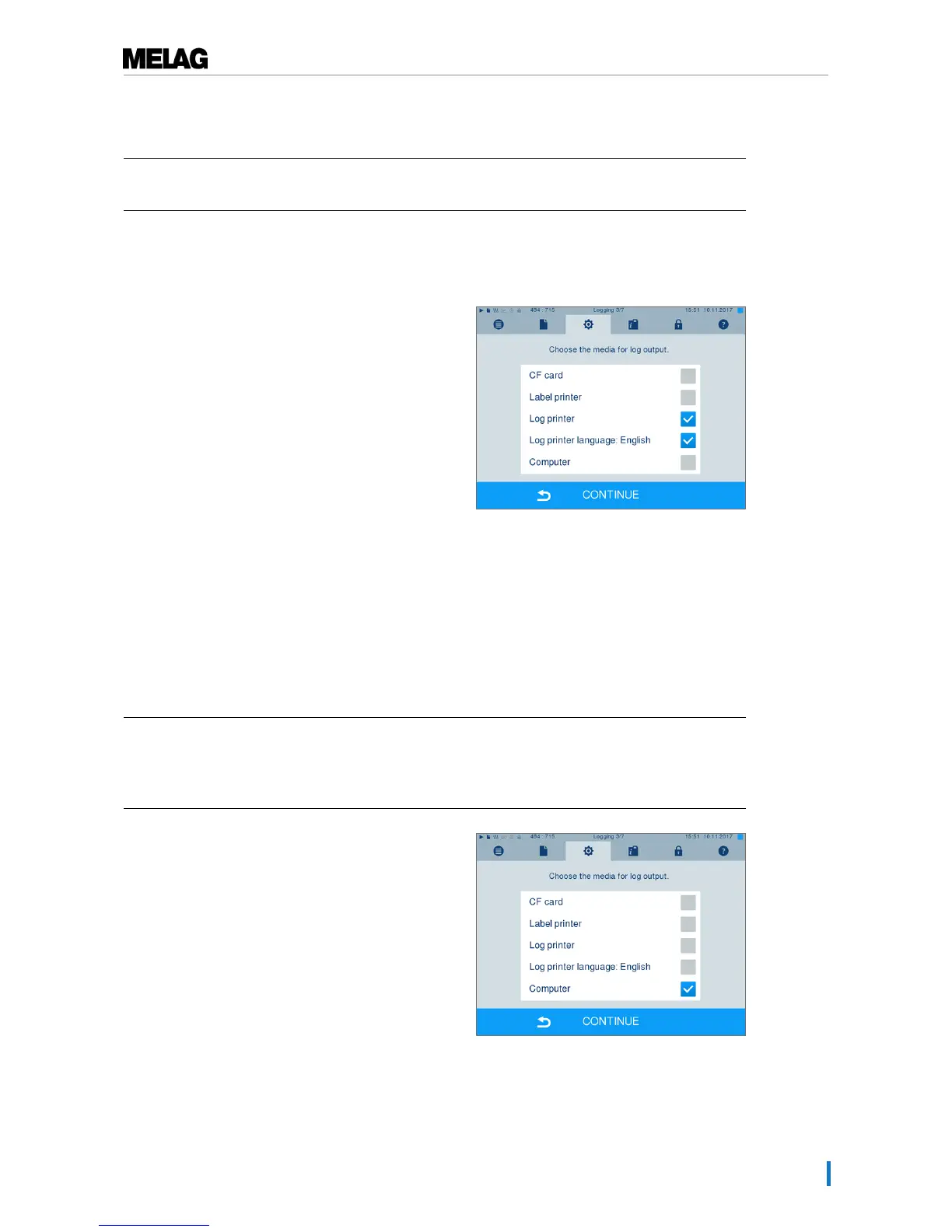
2. Select theLog printer as an output medium.
3. In addition, selectLog printer language:
English.
4. Press repeatedly on CONTINUE until you come to
the summary window.
5. Press SAVE to save the setting.
Ê The output of the text logs on the MELAprint log
printer is in English.
Using the computer as an output medium
Log transmission can be performed via an FTP server / service or TCP. The following section shows how
to set the desired connection:
ü
Navigate to theSettings →Logging menu.
ü
The steam sterilizer is connected to a computer via a network cable (RJ45).
ü
Depending on the output type, an FTP server / service or a suitable program e.g. MELAtrace /
MELAview is installed.
1. Press on CONTINUE until you reach the window for
selecting the output medium.
2. Select the computer as an output medium and
press CONTINUE.
Ê The selection window opens and asks whether
the connection to the computer should be
effected via FTP or TCP.












 To Next Page