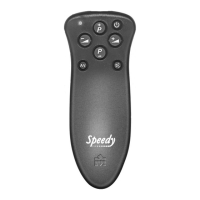
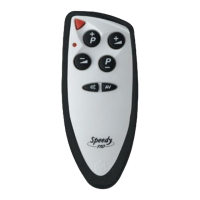
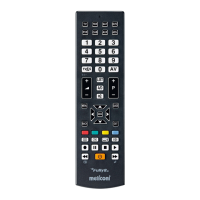
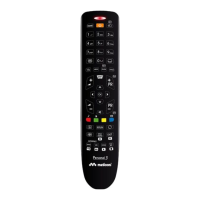
(only to be performed if you know the specific code to be set)
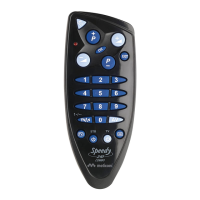
If you want to use SPEEDY 210 Combo to control 2 devices at the same time (TV + DECODER) set firstly the code for the
TV and then the code for the DECODER. To control just one device, enter only the desired code.
• Press and hold on the MELICONI remote control for at least 6 seconds both [P +] e +]
buttons for the TV setting (or [P +] e [P –] for DECODER setting).
• When the indicator light flashes, release and immediately enter the previously identified code.
(4 digits)
• Three final flashes indicate that the operation has been completed successfully.
(the service is free, the only cost being that of sending the SMS, which depends on your service operator fees)
Send an SMS as follows: 2M, Type, Brand, Model EXAMPLE
ATTENTION - separate the information with a comma and be as precise as possible so that the information system can
search for data and answer correctly.
Send the SMS to 0039 345 7518893 and wait for a reply by SMS.
Once you have received the SMS with the list of codes, set the first code (4 digits) in the remote control as described in the
ENTERING THE CODE DIRECTLY chapter.
After entering the code stand in front of the device already turned on press ON/OFF [ ] button on the MELICONI remote
control. If the device does NOT switch off, set the next code in the SMS list on the remote control and try switching the device
off again. Repeat the operation until the device switches off. When the device switches off, check that the other buttons are
also operating correctly. If they do, the remote control is ready to use.
Indicate the model of the device to be controlled, usually
shown on a label on the back of the device (if the model
is unknown, do not write anything after the brand)
Indicate the brand of the device to be controlled
Indicate the type of device to be controller,
using one of the following abbreviations only:
TV
TER (terrestrial decoder)
SAT (satellite decoder)
Fixed text which must always be included
If the remote control does NOT carry out the three final flashes, the setting is NOT successful; repeat the procedure.
If still unsuccessful, it means that the code is not included in the remote control, contact the customer service.
ENTERING THE CODE DIRECTLY
2M, TV, PHILIPS,
32PFL3614


 To Next Page
 Loading...