3. The unit will proceed to USER SET (schedules). The numeral 1 will be blink-
ing. To save this program as program 1, simply press ACCEPT .
Otherwise, use the RIGHT CURSOR key to move to the numeral you
wish to use as a reference for this program, and press ACCEPT . You
must save the program. Otherwise, the program will run only once.
To water on odd or even days
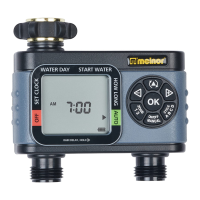
1. After programming the Mist Cycle, the unit will begin flashing a small arrow
beside WATER DAYS. Press the ACCEPT key twice and the small
arrow will move to the odd-even area.
2. Use the RIGHT CURSOR key to select the odd dates or even dates and
then press the ACCEPT key.
3. The unit will proceed to USER SET (schedules). The numeral 1 will be blink-
ing. To save this program as program 1, simply press ACCEPT .
Otherwise, use the RIGHT CURSOR key to move to the numeral you wish
to use as a reference for this program, and press ACCEPT . You must
save the program. Otherwise, the program will run only once.
MIST CYCLE
The Mist Cycle is an advanced feature that repeatedly starts and stops watering
during the watering cycle. This allows more water to soak in and less to run
off. This can greatly increase the efficiency of your watering.
9












 To Next Page