EasyManua.ls Logo

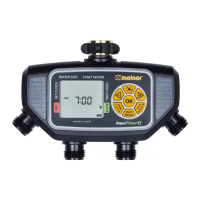
Melnor AquaTimer4 76280 - User Manual

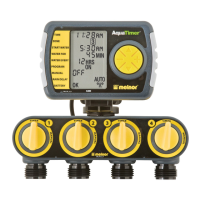
Melnor AquaTimer4 76280
2 pages
Print Icon
To Next Page IconTo Next Page
Loading...
+/- Buttons
Cycle Button
Zone Button
Manual Watering Button
Battery Indicator
OK Button
Cursor Button
Zone 2
Zone 1
Zone 3
Zone 4
We recommend replacing batteries when the indicator reaches
CYCLE
HRS
DAY
MIN
RESET
MANUAL
AM
PM
TODAY
DELAY
TIME
WATER EVERY
1
2
3
4
SU
FR
SATH
WE
TUMO
A
B
C D
DAY
NEXT START
ZONE
START WATER
OFF
HOW LONG AUTO
RAIN DELAY, HOLD
WATER DAY
SET CLOCK
CYCLE
HRS
DAY
MIN
RESET
MANUAL
AM
PM
TODAY
DELAY
TIME
WATER EVERY
1
2
3
4
SU
FR
SATH
WE
TUMO
A
B
C D
DAY
NEXT START
ZONE
START WATER
OFF
HOW LONG AUTO
RAIN DELAY, HOLD
WATER DAY
SET CLOCK
CYCLE
HRS
DAY
MIN
RESET
MANUAL
AM
PM
TODAY
DELAY
TIME
WATER EVERY
1
2
3
4
SU
FR
SATH
WE
TUMO
A
B
C D
DAY
NEXT START
ZONE
WATER DAYSTART WATER
OFF
HOW LONG AUTO
SET CLOCK
RAIN DELAY, HOLD
CYCLE
HRS
DAY
MIN
RESET
MANUAL
AM
PM
TODAY
DELAY
TIME
WATER EVERY
1
2
3
4
SU
FR
SATH
WE
TUMO
A
B
C D
DAY
NEXT START
ZONE
START WATER
OFF
HOW LONG AUTO
RAIN DELAY, HOLD
WATER DAY
SET CLOCK
Hold the or buttons to advance settings more quickly.
Note: Do not use your timer when the air temperature is below 40°F (4.5° C).
When storing your timer, be sure it is in a dry place and protected from frost.
CYCLE
HRS
DAY
MIN
RESET
MANUAL
AM
PM
TODAY
DELAY
TIME
WATER EVERY
1
2
3
4
SU
FR
SATH
WE
TUMO
A
B
C D
DAY
NEXT START
ZONE
START WATER
OFF
HOW LONG AUTO
RAIN DELAY, HOLD
WATER DAY
SET CLOCK
8
1
7
6
5
4
3
2
Question and Answer IconNeed help?

Do you have a question about the Melnor AquaTimer4 76280 and is the answer not in the manual?

Summary

Timer Setup and Basic Programming

Understanding Zones

Explains the timer's four-zone capability and programming options for different watering areas.

Battery Installation & Assembly

Guide on installing two AA alkaline batteries and securely attaching the timer to the faucet.

Set Clock and Day

Instructions for setting the current time, day of the week, and switching between 12/24 hour modes.

Watering Schedule Configuration

Water Day Selection

How to choose specific days or intervals for watering based on the forecast.

Start Water Time

Setting up to four independent start times (CYCLE A, B, C, D) for watering.

How Long to Water

Determining the duration for each watering cycle, up to 360 minutes.

Setting Additional Zones

Programming subsequent zones (2, 3, 4) after the first one is set.

Auto Mode Operation

Activating the automatic watering program after all zones are set.

Advanced Watering and Maintenance

Rain Delay Function

Temporarily suspending watering programs on all zones for up to 7 days.

Off Mode

Stopping watering indefinitely for an extended period.

Manual Watering

Using the timer for specific tasks like filling a bucket or washing a car.

Timer Reset

Erasing all settings and returning the timer to original factory defaults.

Useful Tips and Storage

Open Valves During Installation

Troubleshooting continuous water flow during initial setup.

Cleaning Your Timer

Instructions for cleaning sediment or debris from the timer and filter.

Seasonal Storage

Guidance on storing the timer to prevent damage from freezing temperatures.

Tips for Battery Life

Recommendations for using fresh alkaline batteries and expected lifespan.

Melnor AquaTimer4 76280 Specifications

General IconGeneral
Model76280
Number of Zones/Stations4
Power Source2 AA batteries (not included)
Number of Outlets4
Valve typeSolenoid
Weather resistanceYes
Manual watering optionYes
Display typeLCD
Watering Duration1 minute to 6 hours
Rain DelayYes, up to 72 hours
Connection typeStandard garden hose thread

Related product manuals