13
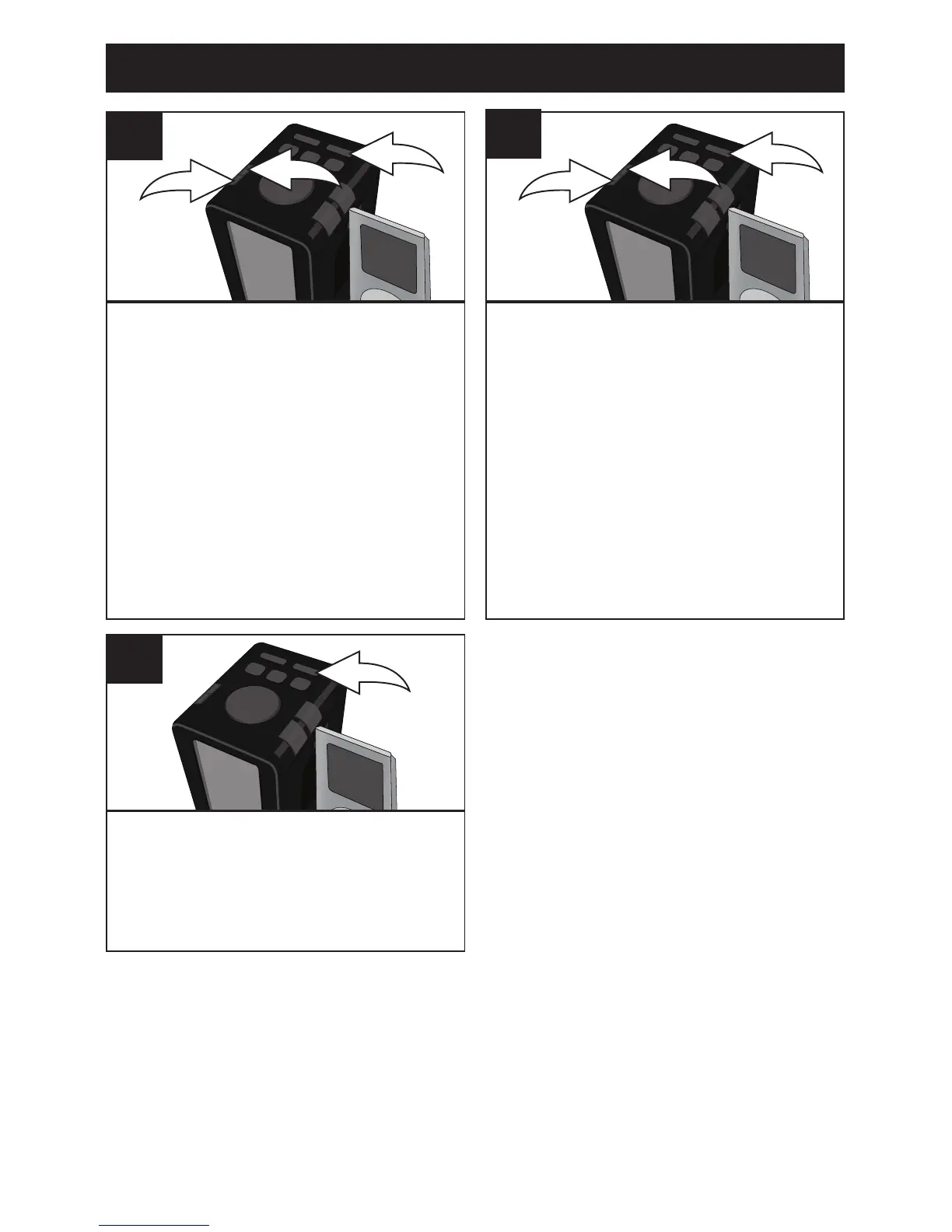
Press the SET button 1; the
month will blink. Within ten
seconds, press the TUNING/Skip/
Search Down o 2 or Up n 3
button to set the current month.
3
1
2
5
Press the SET button (or wait
approx. ten seconds) and the time
and date will be set.
7
Press the SET button 1; the date
will blink. Within ten seconds,
press the TUNING/Skip/Search
Down o 2 or Up n 3 button to set
the current date.
NOTE: When the date is set, the
correct day of the week will also
be set automatically.
3
1
2
6
NOTE:
If there is a power failure, the clock
will be reset.
OPERATION (CONTINUED)



 To Next Page