10
POWER SOURCE (CONTINUED)
REMOTE BATTERY INSTALLATION
BATTERY PRECAUTIONS
Follow these precautions when using batteries in this device:
1. Warning–Danger of explosion if battery is incorrectly replaced. Replace only
with the same or equivalent type.
2. Use only the size and type of batteries specified.
3. Be sure to follow the correct polarity when installing the batteries as indicated
in the Battery Compartment. A reversed battery may cause damage to
the device.
4. Do not mix different types of batteries together (e.g. Alkaline, Rechargeable,
and Carbon-zinc) or old batteries with fresh ones.
5. If the device is not to be used for a long period of time, remove the batteries
to prevent damage or injury from possible battery leakage.
6. Do not try to recharge a battery not intended to be recharged; it can overheat
and rupture. (Follow battery manufacturer’s directions.)
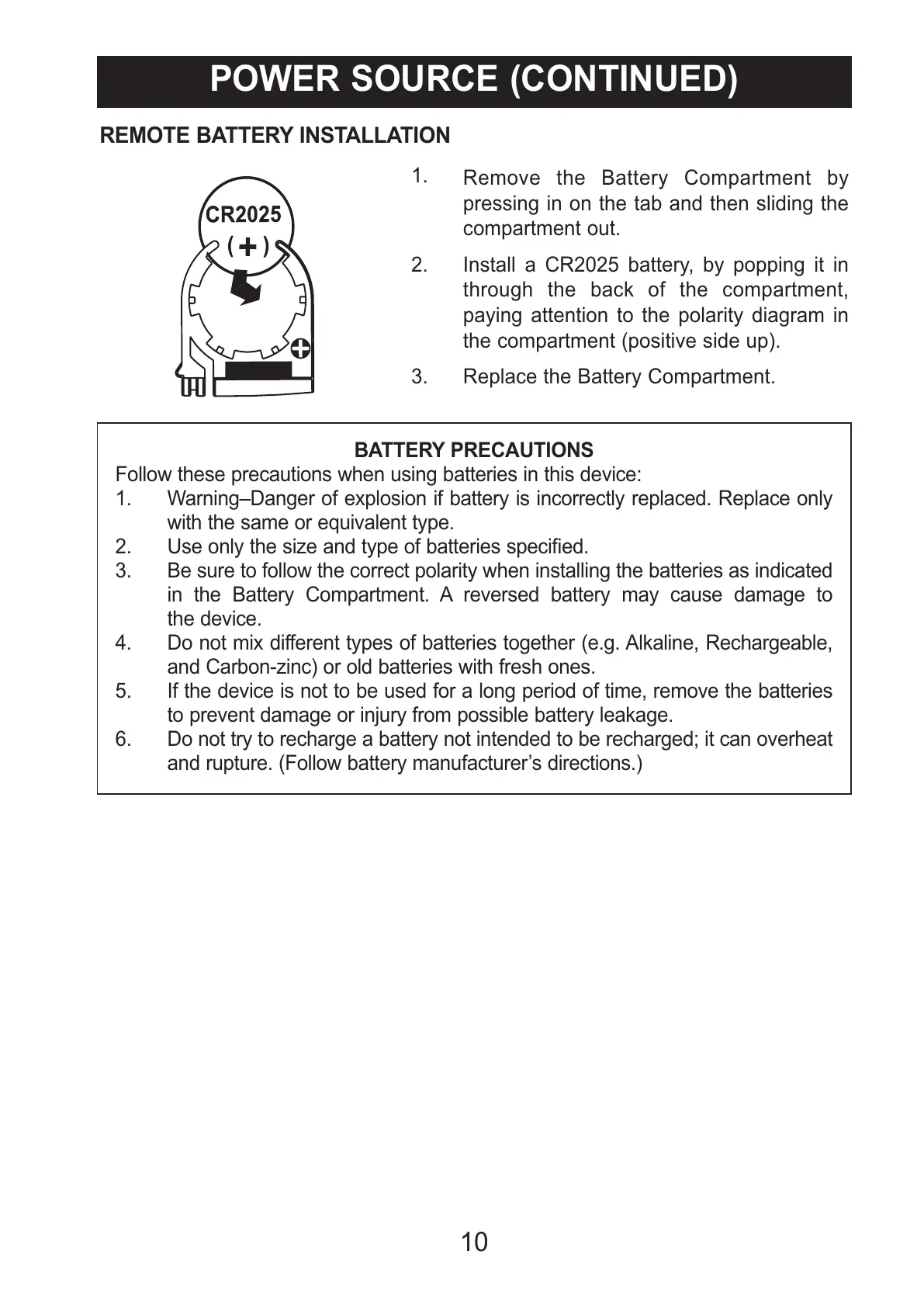
1.
Remove the Battery Compartment by
pressing in on the tab and then sliding the
compartment out.
2. Install a CR2025 battery, by popping it in
through the back of the compartment,
paying attention to the polarity diagram in
the compartment (positive side up).
3. Replace the Battery Compartment.



 To Next Page