OPERATION (CONTINUED)
16
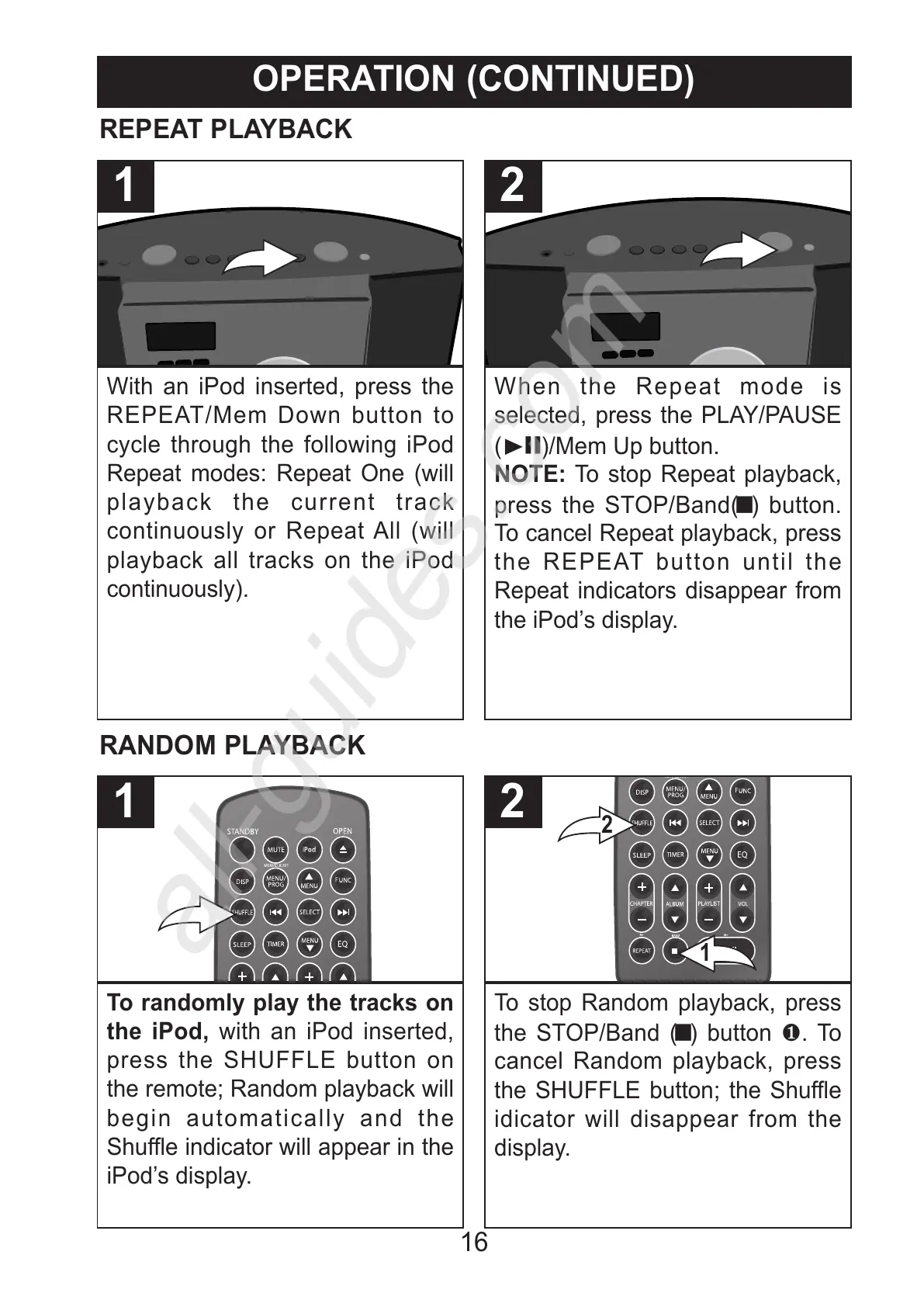
With an iPod inserted, press the
REPEAT/Mem Down button to
cycle through the following iPod
Repeat modes: Repeat One (will
playback the current track
continuously or Repeat All (will
playback all tracks on the iPod
continuously).
1
When the Repeat mode is
selected, press the PLAY/PAUSE
(®p)/Mem Up button.
NOTE: To stop Repeat playback,
press the STOP/Band(X) button.
To cancel Repeat playback, press
the REPEAT button until the
Repeat indicators disappear from
the iPod’s display.
2
REPEAT PLAYBACK
To randomly play the tracks on
the iPod, with an iPod inserted,
press the SHUFFLE button on
the remote; Random playback will
begin automatically and the
Shuffle indicator will appear in the
iPod’s display.
1
To stop Random playback, press
the STOP/Band (X) button 1. To
cancel Random playback, press
the SHUFFLE button; the Shuffle
idicator will disappear from the
display.



 To Next Page