13
OPERATION (CONTINUED)
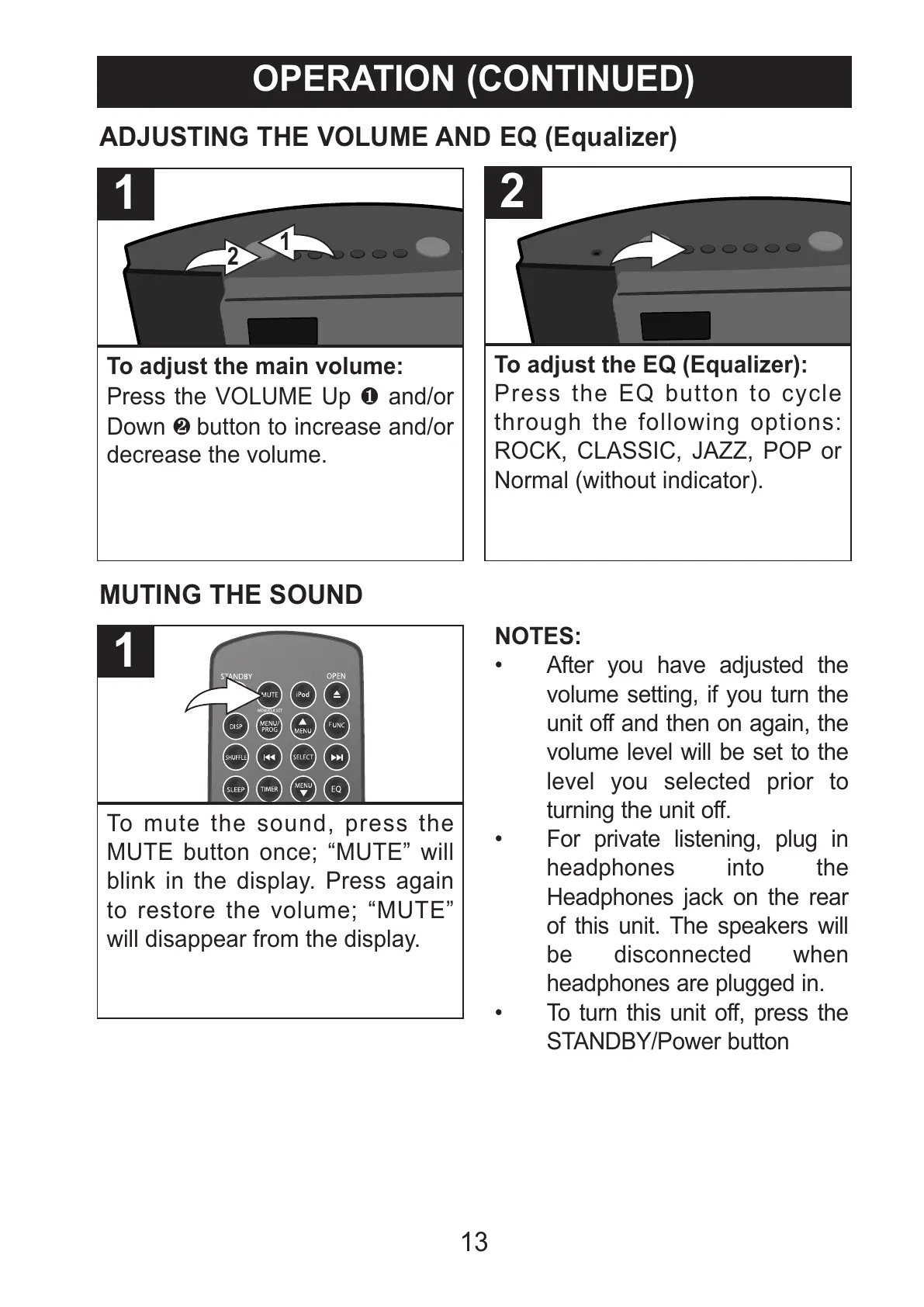
To adjust the main volume:
Press the VOLUME Up 1 and/or
Down 2 button to increase and/or
decrease the volume.
1
ADJUSTING THE VOLUME AND EQ (Equalizer)
To mute the sound, press the
MUTE button once; “MUTE” will
blink in the display. Press again
to restore the volume; “MUTE”
will disappear from the display.
1
MUTING THE SOUND
NOTES:
• After you have adjusted the
volume setting, if you turn the
unit off and then on again, the
volume level will be set to the
level you selected prior to
turning the unit off.
• For private listening, plug in
headphones into the
Headphones jack on the rear
of this unit. The speakers will
be disconnected when
headphones are plugged in.
• To turn this unit off, press the
STANDBY/Power button
To adjust the EQ (Equalizer):
Press the EQ button to cycle
through the following options:
ROCK, CLASSIC, JAZZ, POP or
Normal (without indicator).
2



 To Next Page