12
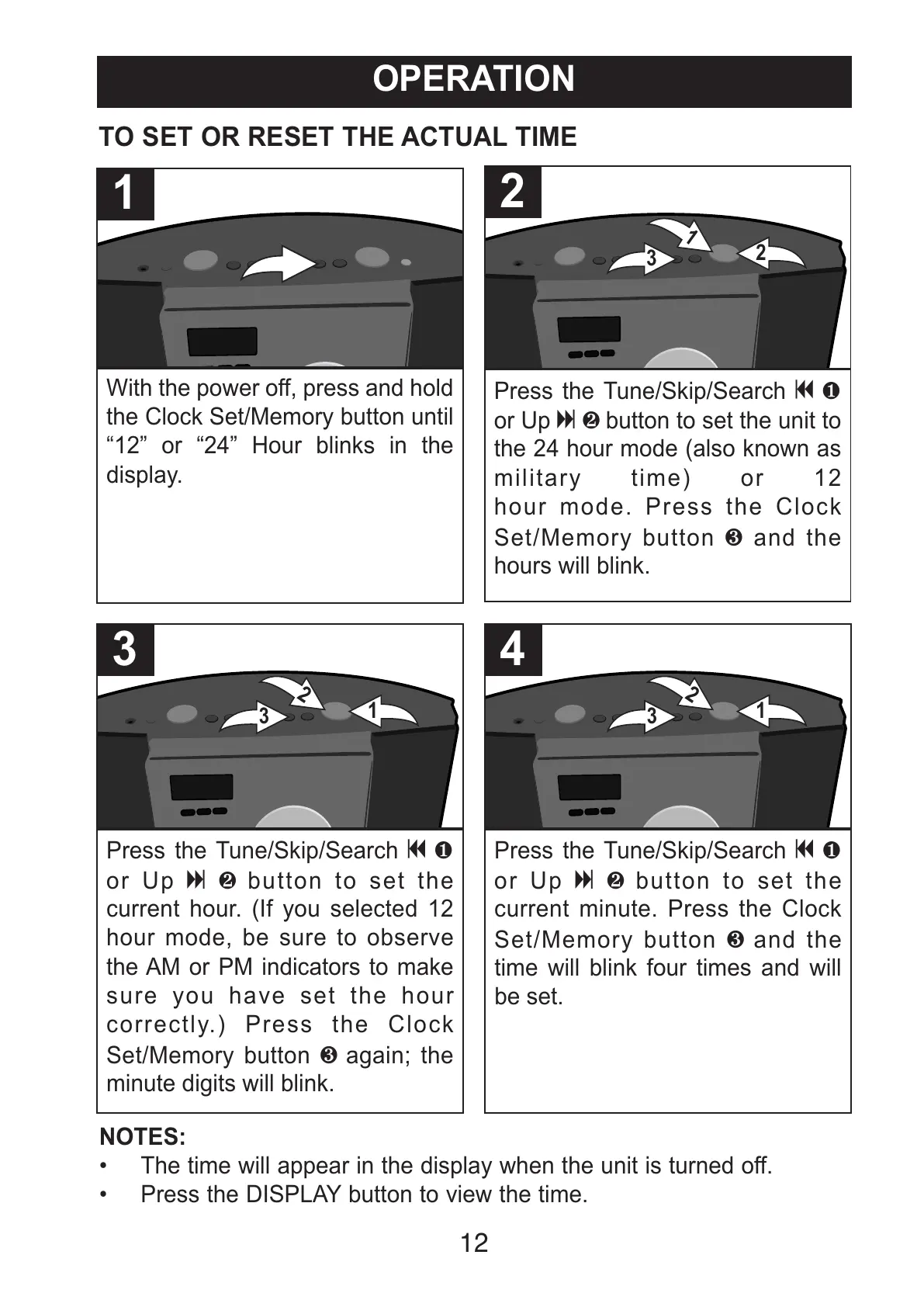
With the power off, press and hold
the Clock Set/Memory button until
“12” or “24” Hour blinks in the
display.
1
Press the Tune/Skip/Search o1
or Up n2button to set the
current hour. (If you selected 12
hour mode, be sure to observe
the AM or PM indicators to make
sure you have set the hour
correctly.) Press the Clock
Set/Memory button 3 again; the
minute digits will blink.
3
Press the Tune/Skip/Search o1
or Up n2button to set the
current minute. Press the Clock
Set/Memory button 3 and the
time will blink four times and will
be set.
4
TO SET OR RESET THE ACTUAL TIME
Press the Tune/Skip/Search o1
or Up n2button to set the unit to
the 24 hour mode (also known as
military time) or 12
hour mode. Press the Clock
Set/Memory button 3 and the
hours will blink.
2
NOTES:
• The time will appear in the display when the unit is turned off.
• Press the DISPLAY button to view the time.
OPERATION
All manuals and user guides at all-guides.com



 To Next Page