26
TV PARENTAL CONTROL (CONTINUED)
Enter the Parental Lock menu and turn on the V-chip option
as described on page 24 (steps 1 and 2).
TV-G B
T
V-PG B B B B B
TV-14 B B B B B
TV-MA B B B B
T
P
arental Lock Off
TV Rating
MPAA RatingMPAA Rating
Lock Menu
Change Password
P
arental Lock
G B
PG B
PG-13 B
R B
NC-17 B
X B
MPAA RATING
Parental Lock Off
TV Rating
MPAA Rating
Lock MenuLock Menu
Change Password
Parental Lock
AV Lock OnOn
Lock
1
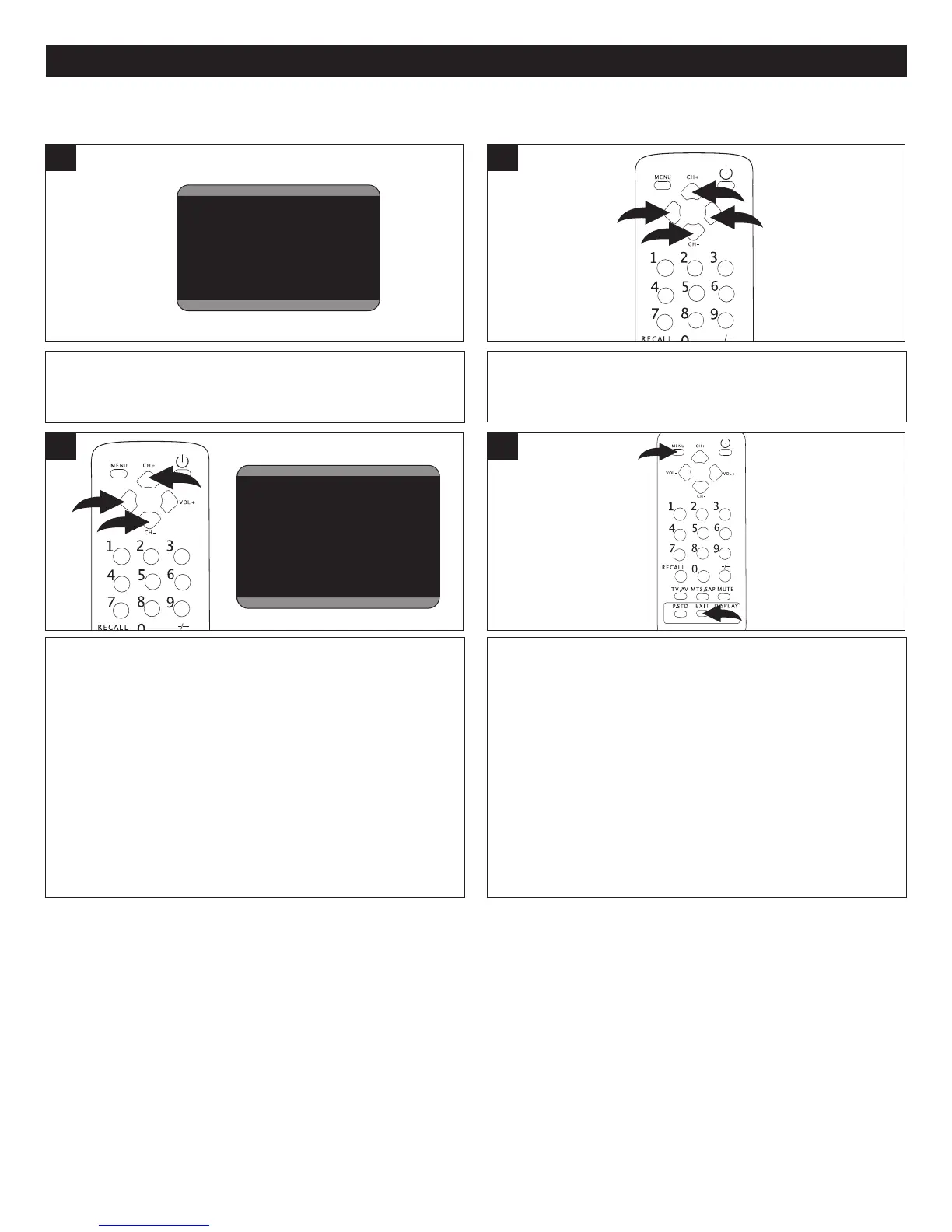
Press the CHANNEL Up 1 or Down 2 button until MPAA
RATING is selected, then press the VOLUME Up
3 or
Down 4 button to select it.
MPAA RATING SET-UP
Press the CHANNEL Up 1 or Down 2 button to select a
rating and then the VOLUME Down button
3 to BLOCK
(ratings at or above cannot be viewed) or UNBLOCK
(ratings at or under can be viewed).
"B" is Blocked and "U" is Unblocked.
G: All ages
PG: Parental Guidance
PG-13: Parental Guidance
less than 13 years
old
R: Under 17 years old,
Parental Guidance
suggested
NC17: 17 years old and
above
X: Adult only
3
2
Rating FV D L S V
TV-Y > B
TV-Y7 B B
TV-G B
T
V-PG B B B B B
T
V-14 B B B B B
TV-MA B B B B
T
Parental Lock Off
TV Rating
MPAA RatingMPAA Rating
Lock Menu
Change Password
Parental Lock
G B
PG B
PG-13 B
R B
NC-17 B
X B
MPAA RATING
Parental Lock Off
TV Rating
MPAA Rating
Lock MenuLock Menu
Change Password
Parental Lock
AV Lock OnOn
Lock
When finished, press the Menu button 1 to return to the
Parental Lock menu or press the Exit button 2 to exit the
menus.
4



 To Next Page