11
CONNECTION FROM AN EXTERNAL UNIT (CONTINUED)
CONNECTION TO AN EXTERNAL UNIT
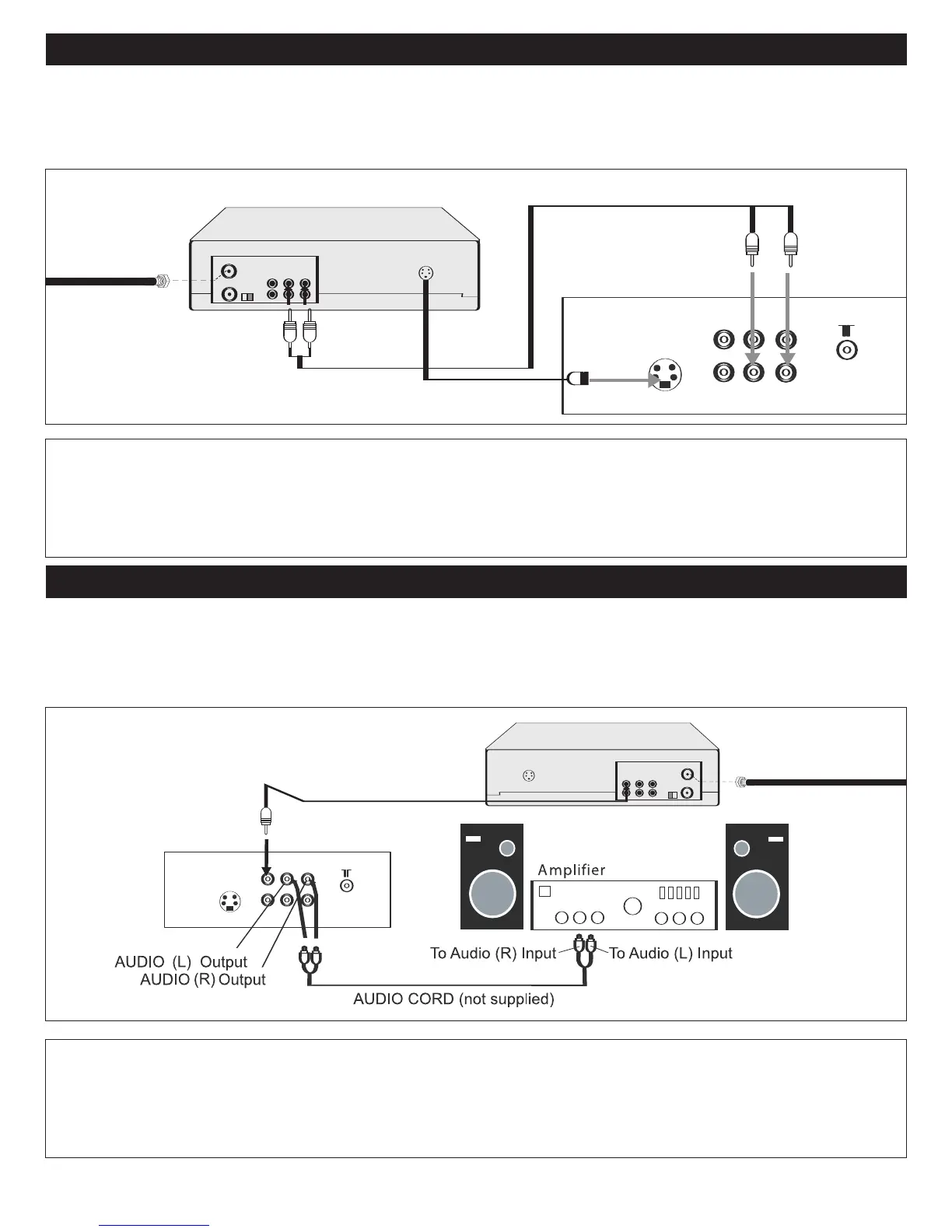
CONNECTION USING S-VIDEO CABLE:
Follow the instructions below to connect an S-VIDEO VCR/DVD to your television using an S-video cable. (CABLES NOT
INCLUDED.)
1. For VCR, connect the cable, satellite or incoming antenna to the ANT jack on the rear of the VCR.
2. Connect the left and right audio cable from the DVD/ VCR’s Audio OUT jacks to the TV’s left and right AUDIO 1 IN
jacks.
3. Connect the DVD/VCR’s S-VIDEO OUT jack to the TV’s S-VIDEO IN jack.
4. Press the INPUT button until S-VHS appears on the TV screen.
VCR/DVD
AUDIO Cord
From VCR OUT jacks
I
NCOMING CATV
C
ABLE (VCR)
To S-VIDEO IN jack
CONNECTION USING THE AUDIO/VIDEO OUT JACKS:
Follow the instructions below to connect an external audio unit. This will output the sound from the TV into the external audio
unit’s speakers.
1. Connect the left and right audio cable from the Amplifier’s Audio IN jacks to this unit’s AUDIO OUT jacks.
2. If desired, connect an external unit’s Video IN jack to this unit’s Video OUT jack.
VIDEO CORD (not supplied)
VIDEO OUT Jack
VIDEO IN Jack



 To Next Page