33
TV BASIC OPERATION (CONTINUED)
GUIDE
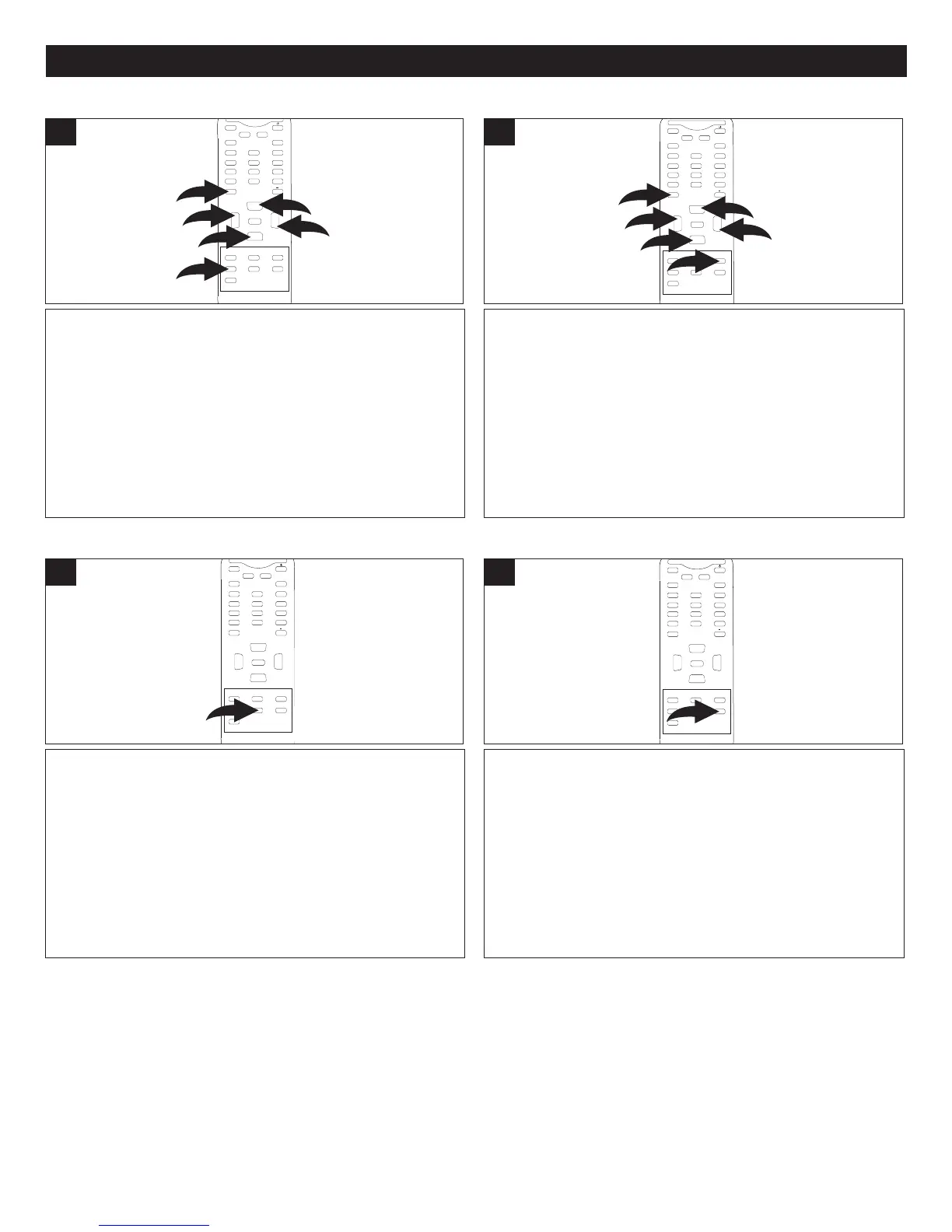
When using DTV, press the GUIDE button 1 to switch on
the program guide. Use the CHANNEL Up/Down
2 and/or
the VOLUME Up/Down
3 buttons to navigate to the desired
program, followed by the ENTER button 4 to enter. To
switch off the guide, press the GUIDE button
1 again.
NOTE:
• This function can only be used when the EPG
information is broadcasted by broadcasting companies.
MUTE
Q.VIEW INFO
INPUT TV/DTV
SAP P.MODE
-
MENU
CH-
CH+
VOL
-
VOL
+
CC SLEEP
GUIDE
FAV.LIST
ARC
CH.LIST
EXIT
0
2
1
2
3
3
4
ENTER
1
FAV. (FAVORITE ) LIST
When using DTV, with the desired channel to add or delete
from your favorites list selected, press the FAV. LIST button
1. Press the CHANNEL Up/Down button 2 until the desired
channel is highlighted. Press the VOLUME Up
/Down button
3 to select to add or delete. Press the ENTER button 4 to
confirm.
MUTE
Q.VIEW INFO
INPUT TV/DTV
SAP P.MODE
-
MENU
C
H-
CH+
VOL
-
VOL
+
CC SLEEP
GUIDE
FAV.LIST
ARC
CH.LIST
EXIT
0
2
1
2
3
3
4
ENTER
1
ARC (ASPECT RATIO CONTROL)
While using DTV, press the ARC (Aspect Ratio Control)
button to change the screen size.
MUTE
Q.VIEW INFO
INPUT TV/DTV
S
AP P.MODE
-
MENU
CH-
CH+
VOL
-
VOL
+
CC SLEEP
GUIDE
FAV.LIST
ARC
CH.LIST
EXIT
0
ENTER
1
CH. (CHANNEL) LIST
While using DTV, press the CH. (Channel) List button to
bring up the DTV
channel list menu on-screen.
M
UTE
Q.VIEW INFO
INPUT TV/DTV
SAP P.MODE
-
MENU
CH-
CH+
VOL
-
VOL
+
CC SLEEP
GUIDE
FAV.LIST
ARC
CH.LIST
EXIT
0
ENTER
1



 To Next Page