5
INSTALLATION
CONNECTING OPTIONAL EQUIPMENT
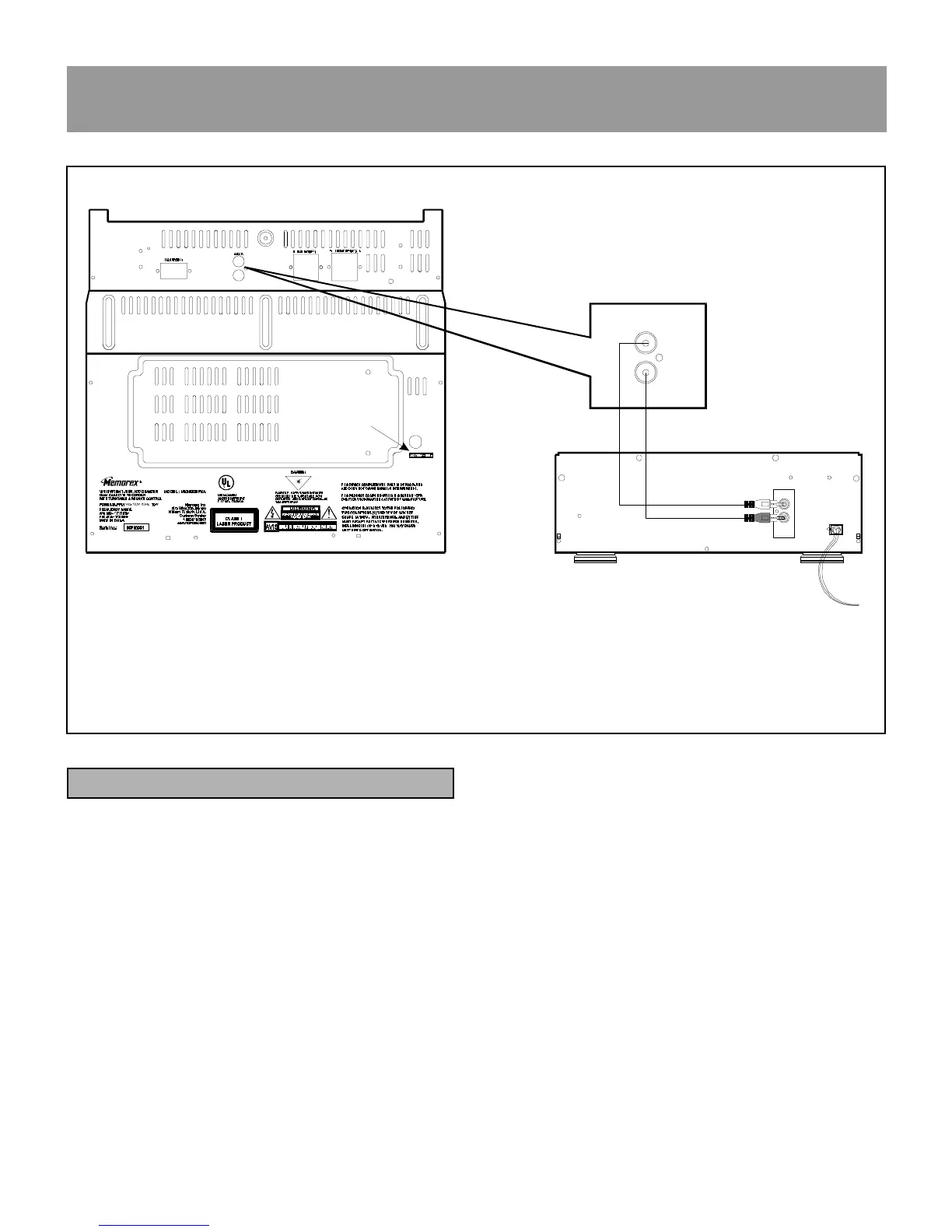
Connecting a Video system
Connect the ″ L ″ and ″ R ″ Audio output terminals of your
laser disc or VCR system to the ″ L ″ and ″ R ″ AUX
INPUT terminals of the main unit.
AUX
L
4
R
L
OUT
BACK VIEW OF YOUR LD OR VCR SYSTEM
+
_
+
_
+
_
+
_
R
L
+
_
+
_
2













 To Next Page